JavaScript Control Flow: if, else, and switch Explained
Make decisions in code with conditionals, switch, ternary, and object lookup
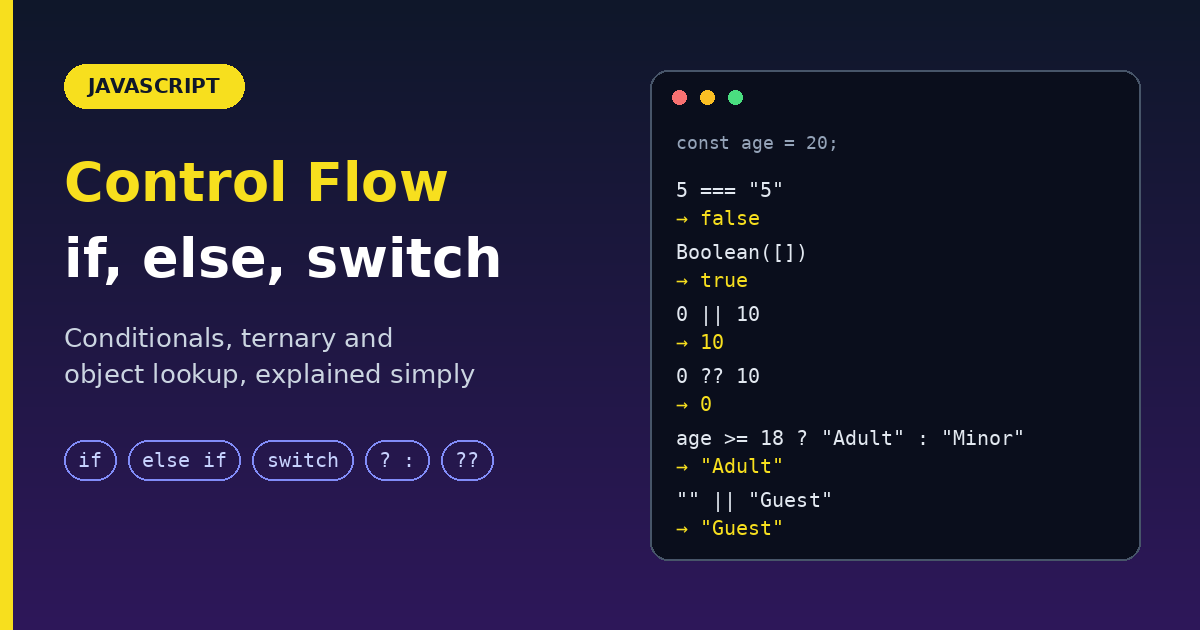
Control flow is the order in which your code runs. By default, JavaScript runs line by line, top to bottom. Conditional statements let your code make decisions: run this block only if something is true; otherwise, run that one.
This guide covers if, if...else, else if, switch and the ternary operator. When to use each, with step-by-step flows, examples, and the gotchas that cause real bugs.
What goes inside the condition?
Every if needs a condition that JavaScript treats as true or false.
Comparison operators (return a boolean)
| Operator | Meaning | Example |
|---|---|---|
=== |
Strictly equal (value and type) | 5 === 5 is true, 5 === "5" is false |
!== |
Strictly not equal | 5 !== 6 is true |
> < >= <= |
Greater / lesser | age >= 18 |
Logical operators (combine conditions)
| Operator | Meaning | Example |
|---|---|---|
&& |
AND: both must be true | age >= 18 && hasId |
| ` | ` | |
! |
NOT: flips the value | !isLoggedIn |
Truthy and falsy. If you put a non-boolean in a condition, JavaScript converts it. Only these 8 values are falsy:
false, 0, -0, 0n, "", null, undefined, NaN
Everything else is truthy, including "0", [], and {}.
if ("hello") { console.log("runs"); }   // non-empty string is truthy
if (0) { console.log("never runs"); }   // 0 is falsy
if ([]) { console.log("runs"); }        // empty array is truthy!
Rule: use
===instead of==. Strict equality never converts types behind your back.
1. if (single decision)
Flow:
Start
Check the condition
If
true, run the block. Iffalse, skip it.Continue with the rest of the code
const age = 20;

if (age >= 18) {
  console.log("You can vote");   // runs
}
console.log("Done");             // always runs
2. if...else (two paths)
Flow:
Check the condition
true→ run theifblockfalse→ run theelseblockExactly one of the two blocks runs
const age = 15;

if (age >= 18) {
  console.log("Adult");
} else {
  console.log("Minor");   // runs
}
3. if...else if...else (many paths)
Flow:
Check the first condition. If
true, run its block and stop.Otherwise, check the next condition, and repeat.
If none are true, run the
elseblock.Only one block ever runs.
const score = 85;

if (score >= 90) {
  console.log("A");
} else if (score >= 80) {
  console.log("B");   // runs
} else if (score >= 70) {
  console.log("C");
} else {
  console.log("Fail");
}
Gotcha: order matters. Conditions are checked from the top, so put the most specific one first.
// Wrong: 90 is caught by the first check, so "A" can never run
if (score >= 60) { console.log("Pass"); }
else if (score >= 90) { console.log("A"); }
4. switch (match exact values)
Flow:
Evaluate the expression once
Compare it with each
caseusing strict equality (===)On a match, run that case's code until a
breakIf nothing matches, run
default
const day = 3;

switch (day) {
  case 1:
    console.log("Monday");
    break;
  case 2:
    console.log("Tuesday");
    break;
  case 3:
    console.log("Wednesday");   // runs
    break;
  default:
    console.log("Another day");
}
Gotcha 1: forgetting break causes fall-through
Without break, JavaScript keeps running the next cases too.
switch (1) {
  case 1:
    console.log("one");   // runs
  case 2:
    console.log("two");   // also runs! (no break above)
    break;
  default:
    console.log("other");
}
// one
// two
Gotcha 2: switch uses strict matching
switch ("1") {
  case 1:
    console.log("number one");
    break;
  default:
    console.log("no match");   // runs, because "1" !== 1
}
Trick: group cases that share code
Fall-through is useful on purpose when cases share the same action.
switch (month) {
  case "Dec":
  case "Jan":
  case "Feb":
    console.log("Winter");
    break;
  case "Jun":
  case "Jul":
  case "Aug":
    console.log("Summer");
    break;
}
Gotcha 3: let and const inside cases
All cases share one block, so declaring the same name twice fails. Wrap the case in { }.
switch (type) {
  case "a": {
    const msg = "Type A";
    console.log(msg);
    break;
  }
  case "b": {
    const msg = "Type B";   // fine, separate block
    console.log(msg);
    break;
  }
}
Ranges don't work in switch
switch compares exact values, so case x > 10 does not work as you would expect. Use if...else if for ranges.
5. Ternary operator (a short if...else)
Syntax: condition ? valueIfTrue : valueIfFalse
- Returns: one of the two values, so you can store it.
const age = 20;
const status = age >= 18 ? "Adult" : "Minor";   // "Adult"

console.log(`You are an ${age >= 18 ? "adult" : "minor"}`);
Rule: use it for simple choices. Avoid chaining several ternaries, since that becomes hard to read.
6. Short-circuit and ?? (default values)
&& and || stop as soon as the result is known, and they return one of the values, not just true or false.
const user = { name: "Sam" };

user && user.name;       // "Sam"  (runs only if user exists)
const name = "" || "Guest";    // "Guest"  (|| falls back for ANY falsy value)
Gotcha: || treats 0 and "" as "missing", which can be wrong.
const count = 0;
count || 10;     // 10  (bug: 0 is a valid value)
count ?? 10;     // 0   (correct)
?? (nullish coalescing) only falls back for null and undefined. Use it for defaults.
7. Guard clauses: avoid deep nesting
Check the bad cases first and exit early. Your code stays flat and easy to read.
// Hard to read
function checkout(user) {
  if (user) {
    if (user.isLoggedIn) {
      if (user.cart.length > 0) {
        return "Proceed";
      }
    }
  }
  return "Cannot checkout";
}

// Easier: guard clauses
function checkout(user) {
  if (!user) return "Cannot checkout";
  if (!user.isLoggedIn) return "Cannot checkout";
  if (user.cart.length === 0) return "Cannot checkout";
  return "Proceed";
}
Which one should I use?
| Statement | Type of flow | Use it for |
|---|---|---|
if |
One decision | One condition |
if...else |
Two-way | Either A or B |
if...else if...else |
Many conditions | Ranges and complex logic |
switch |
Multi-branch match | Exact fixed values |
Ternary ? : |
Inline two-way | Simple value choice |
| Object lookup | Key-value mapping | Many fixed values (see below) |
if...else vs switch
| Factor | if...else |
switch |
|---|---|---|
Handles ranges (x > 10 && x < 20) |
Yes | No |
| Handles complex logic | Yes | No |
| Matches exact values | Yes | Yes (designed for it) |
| Readability with many cases | Gets long | Cleaner |
| Comparison | Whatever you write | Always === |
Use
if...elsewhen: conditions involve ranges or logic, expressions are complex, or you have only a few branches.
Use switch when: you match exact values, you have many cases, and you want a clean structure.
What about performance?
Honest answer: it seldom matters.
Few conditions (about 5 or fewer): no real difference. Choose readability.
Many fixed values (10+ cases): a
switchcan be faster, because engines can optimize it (for example, into a jump table for dense integer cases). This is not guaranteed.Strings and sparse values: optimization is less predictable. Expect roughly the same speed as
if...else.Typical difference: microseconds, far smaller than a single network request or DOM update.
A long if...else chain checks conditions one by one, so in the worst case it does as many checks as there are branches. That cost is tiny for normal code. Measure before you optimize.
Better than both: object lookup
When you are just mapping a value to another value, skip the branching entirely.
// switch version
function dayName(n) {
  switch (n) {
    case 1: return "Monday";
    case 2: return "Tuesday";
    case 3: return "Wednesday";
    default: return "Unknown";
  }
}

// object lookup version
const days = { 1: "Monday", 2: "Tuesday", 3: "Wednesday" };
const dayName = (n) => days[n] ?? "Unknown";

dayName(2);    // "Tuesday"
dayName(9);    // "Unknown"
Why it is good: lookup by key is fast, the code is shorter, and adding a case is just adding a line.
You can store functions too:
const actions = {
  add: (a, b) => a + b,
  sub: (a, b) => a - b,
};

actions["add"]?.(2, 3);      // 5
actions["power"]?.(2, 3);    // undefined (no crash)
Gotcha: inherited keys. A plain object has built-in keys like toString and constructor, so a lookup can return something you did not define.
days["toString"]; // a function, not undefined!
Safer options:
Object.hasOwn(days, key) ? days[key] : "Unknown";   // own keys only

const dayMap = new Map([[1, "Monday"], [2, "Tuesday"]]);
dayMap.get(1) ?? "Unknown";                          // Map has no inherited keys
Object lookup only works for exact-value mapping. For ranges or complex conditions, use if...else.
Common mistakes
| Mistake | Fix |
|---|---|
if (x = 5) (assignment, always truthy) |
Use if (x === 5) |
Using == |
Use === |
Forgetting break in switch |
Add break, or comment on intentional fall-through |
Putting a broad condition first in else if |
Order from most specific to least |
| Using ` | |
Long nested if blocks |
Use guard clauses |
Using switch for ranges |
Use if...else if |
| Looking up keys in a plain object blindly | Use Object.hasOwn() or a Map |
Wrap up
Control flow is the order your code runs. Conditions let it choose a path.
Use
if...else if...elsefor ranges and logic,switchfor exact values (it uses===, and needsbreak).Use the ternary for quick value choices,
??for defaults, and guard clauses to avoid deep nesting.Performance differences between
ifandswitchare tiny. Choose what reads best.For plain value-to-value mapping, an object lookup or a
Mapis the cleanest option.
Next up: loops (for, while, for...of), the other half of control flow.