JavaScript Number Methods and the Number Object Explained
Parse, check, format, and calculate with numbers: what each method returns and the gotchas
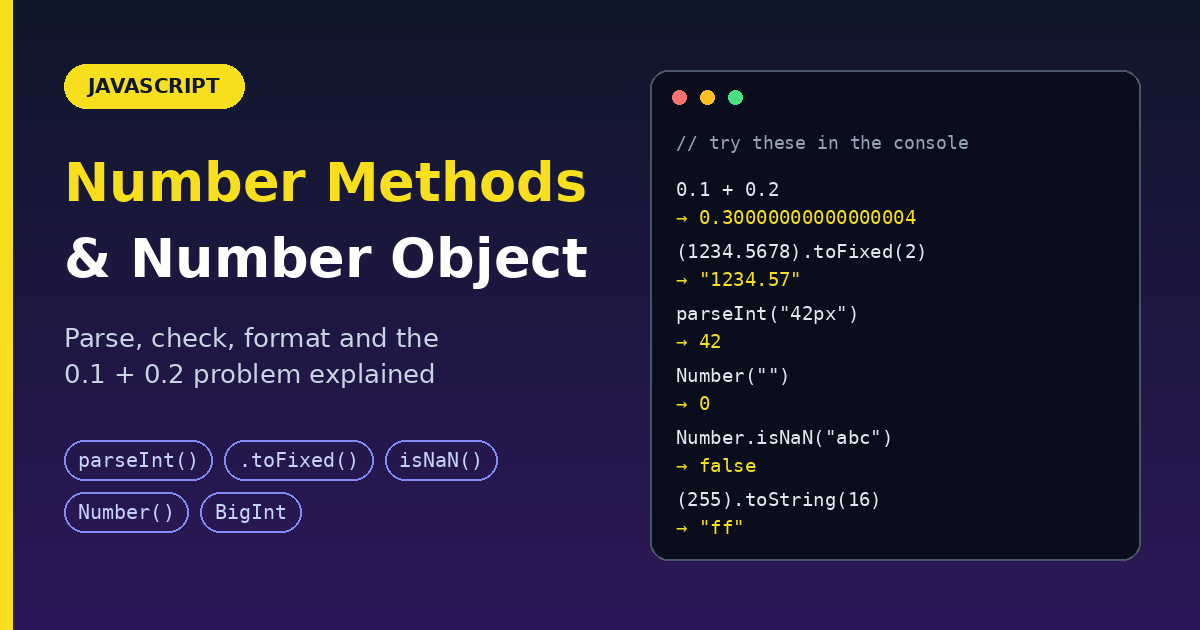
Prices, ages, scores, counters, percentages: numbers are everywhere. JavaScript gives you a Number object with static methods (to parse and check numbers), instance methods (to format them), and constants (like the biggest safe integer). This guide explains each one the same way: what it does, what it returns, a simple example, and the gotchas, including the famous 0.1 + 0.2 problem.
Three rules to remember first
1. JavaScript has one number type. Integers and decimals are both number (a 64-bit floating-point value). Whole numbers beyond a certain size need BigInt.
typeof 5;       // "number"
typeof 5.5;     // "number"
typeof NaN;     // "number" (yes, really)
typeof 5n;      // "bigint" (a separate type)
2. Numbers are immutable. No method changes the original. Each one returns a new value, so store the result.
let price = 19.5;
price.toFixed(2);      // returns "19.50", but `price` is unchanged
price = price.toFixed(2);   // now price is the string "19.50"
3. Some methods return a string, not a number. toFixed, toPrecision, toString, and toLocaleString all return text. Watch the return type.
Static vs instance: how to call them
| Kind | How you call it | Examples |
|---|---|---|
Static (on Number itself) |
Number.isInteger(5) |
isNaN, isFinite, isInteger, isSafeInteger, parseFloat, parseInt |
| Instance (on a number value) | (5).toFixed(2) |
toFixed, toPrecision, toExponential, toString, toLocaleString, valueOf |
| Constants | Number.MAX_SAFE_INTEGER |
EPSILON, MAX_VALUE, MIN_VALUE, NaN, POSITIVE_INFINITY |
Gotcha: calling a method on a number literal. The dot after an integer is read as a decimal point.
5.toFixed(2);      // SyntaxError
(5).toFixed(2);    // "5.00"  (wrap in parentheses)
5..toFixed(2);     // "5.00"  (works, but looks odd)
const n = 5;
n.toFixed(2);      // "5.00"  (a variable is fine)
1. Number primitive vs Number object
You can create a number two ways:
const primitive = 5;                // a number primitive (use this)
const wrapper = new Number(5);      // a Number object (avoid this)

typeof primitive;    // "number"
typeof wrapper;      // "object"
When you call (5).toFixed(2), JavaScript temporarily wraps the primitive in a Number object, calls the method, then throws the wrapper away. That is why primitives can use methods at all.
Why you should avoid new Number():
new Number(5) === 5;    // false (an object is never strictly equal to a primitive)
new Number(5) == 5;     // true  (loose equality unwraps it)
5 + new Number(5);      // 10    (math unwraps it)

if (new Number(0)) {
  console.log("runs!"); // objects are always truthy, even for 0
}
Convert a wrapper back to a primitive:
new Number(5).valueOf(); // 5
Note: calling
Number(...)withoutnewdoes not create an object. It converts a value to a number (see the next section). That is useful and safe.
2. Converting values to numbers
Number(value)
- Returns: a number, or
NaNif the value cannot be converted
Number("42");        // 42
Number("  42  ");    // 42     (spaces are trimmed)
Number("3.14");      // 3.14
Number("42px");      // NaN    (any junk makes it NaN)
Number("1,000");     // NaN    (commas are not allowed)
Number("0x1F");      // 31     (hex is understood)
Number(true);        // 1
Number(false);       // 0
Number(null);        // 0      (surprise)
Number(undefined);   // NaN
Number("");          // 0      (surprise)
Number([]);          // 0
Number([5]);         // 5
Number({});          // NaN
Gotcha: empty and blank strings become 0, not NaN. This breaks form validation.
const input = "";
Number(input);   // 0 (looks like a valid number!)

// Safer:
const toNumber = (s) => (s.trim() === "" ? NaN : Number(s));
toNumber("");     // NaN
toNumber("42");   // 42
The unary plus +value
A shortcut that does the same as Number().
+"42";    // 42
+"abc";   // NaN
Prefer Number("42") in shared code. It is easier to read.
parseInt() and parseFloat()
They read a number from the start of a string and ignore whatever follows.
parseInt(string, radix)returns a whole number orNaN.parseFloat(string)returns a decimal number orNaN.
parseInt("42px");        // 42
parseInt("px42");        // NaN   (must start with a digit)
parseInt("3.99");        // 3     (cuts off, does not round)
parseInt("0x1F");        // 31
parseInt("101", 2);      // 5     (read as binary)
parseInt("ff", 16);      // 255   (read as hex)

parseFloat("3.14abc");   // 3.14
parseFloat(".5");        // 0.5
parseFloat("1e3");       // 1000
Always pass the radix to parseInt: parseInt("08", 10).
Gotcha 1: parseInt as a map callback. map passes the index as a second argument, and parseInt reads it as the radix.
["1", "2", "3"].map(parseInt);   // [1, NaN, NaN]  (surprise)
["1", "2", "3"].map(Number);     // [1, 2, 3]      (correct)
Gotcha 2: very small numbers break parseInt, because it first turns the number into text.
parseInt(0.0000005);   // 5  (the text is "5e-7")
Math.trunc(0.0000005); // 0  (correct)
To drop the decimal part of a real number, use Math.trunc(), not parseInt().
Number.parseInt and Number.parseFloat are the same functions as the global ones. They were moved onto Number for tidiness.
Number.parseInt === parseInt;       // true
Number.parseFloat === parseFloat;   // true
Number() vs parseInt() vs parseFloat()
| Input | Number() |
parseInt() |
parseFloat() |
|---|---|---|---|
"42" |
42 |
42 |
42 |
"42px" |
NaN |
42 |
42 |
"3.99" |
3.99 |
3 |
3.99 |
"" |
0 |
NaN |
NaN |
"abc" |
NaN |
NaN |
NaN |
null |
0 |
NaN |
NaN |
Rule: use Number() when the whole string must be a number. Use parseInt() or parseFloat() when you want to pull a number out of text like "42px".
3. Checking numbers
Number.isNaN(value)
- Returns:
trueonly if the value is the actualNaN
Number.isNaN(NaN);       // true
Number.isNaN("abc");     // false (it is a string, not NaN)
Number.isNaN(undefined); // false
Why you cannot use ===: NaN is the only value not equal to itself.
NaN === NaN;             // false
Object.is(NaN, NaN);     // true
Number.isNaN vs the old global isNaN: the global one converts first, which gives confusing answers.
isNaN("abc");           // true  (converted to NaN first)
Number.isNaN("abc");    // false (a string is not NaN)
Use Number.isNaN().
Number.isFinite(value)
- Returns:
trueif the value is a real number that is notInfinityorNaN
Number.isFinite(42);          // true
Number.isFinite(Infinity);    // false
Number.isFinite(NaN);         // false
Number.isFinite("5");         // false (no conversion)
isFinite("5");                // true  (global version converts)
Number.isInteger(value)
- Returns:
trueif the value is a number with no decimal part
Number.isInteger(5);      // true
Number.isInteger(5.0);    // true   (5.0 is the same value as 5)
Number.isInteger(5.5);    // false
Number.isInteger("5");    // false  (a string)
Number.isSafeInteger(value)
- Returns:
trueif the value is an integer that JavaScript can store exactly (between-(2^53 - 1)and2^53 - 1)
Number.isSafeInteger(2 ** 53 - 1);   // true
Number.isSafeInteger(2 ** 53);       // false
Is this value a real, usable number?
typeof x === "number" is true for NaN and Infinity too. Combine two checks:
const isValidNumber = (x) => typeof x === "number" && Number.isFinite(x);

isValidNumber(42);       // true
isValidNumber(NaN);      // false
isValidNumber("42");     // false
isValidNumber(Infinity); // false
Number.isFinite() already returns false for strings, so for plain checks Number.isFinite(x) alone is enough.
Quick comparison
| Value | isNaN |
isFinite |
isInteger |
|---|---|---|---|
42 |
false |
true |
true |
4.2 |
false |
true |
false |
NaN |
true |
false |
false |
Infinity |
false |
false |
false |
"42" |
false |
false |
false |
(Columns show the Number. versions.)
4. Number constants
Number.MAX_SAFE_INTEGER;       // 9007199254740991
Number.MIN_SAFE_INTEGER;       // -9007199254740991
Number.MAX_VALUE;              // 1.7976931348623157e+308
Number.MIN_VALUE;              // 5e-324
Number.EPSILON;                // 2.220446049250313e-16
Number.POSITIVE_INFINITY;      // Infinity
Number.NEGATIVE_INFINITY;      // -Infinity
Number.NaN;                    // NaN
| Constant | Meaning |
|---|---|
MAX_SAFE_INTEGER |
Largest integer stored exactly |
MIN_SAFE_INTEGER |
Smallest integer stored exactly |
MAX_VALUE |
Largest number that exists. Anything bigger becomes Infinity |
MIN_VALUE |
Smallest positive number (not the most negative!) |
EPSILON |
Gap between 1 and the next larger number. Used to compare decimals |
Gotcha: MIN_VALUE is not "the lowest number". It is the smallest value above zero. The most negative number is -Number.MAX_VALUE.
Gotcha: beyond the safe range, math goes wrong.
Number.MAX_SAFE_INTEGER + 1;   // 9007199254740992
Number.MAX_SAFE_INTEGER + 2;   // 9007199254740992  (same! precision lost)
Division by zero does not crash:
1 / 0;     // Infinity
-1 / 0;    // -Infinity
0 / 0;     // NaN
5. Formatting numbers (instance methods)
All of these return strings (except valueOf).
toFixed(digits): a fixed number of decimals
- Returns: a string
digitsis 0 to 100. The default is 0.
(1234.5678).toFixed(2);   // "1234.57"
(5).toFixed(2);           // "5.00"   (pads with zeros)
(5.5).toFixed(0);         // "6"
Gotcha 1: it returns a string.
(0.1 + 0.2).toFixed(2);          // "0.30"
(0.1 + 0.2).toFixed(2) === 0.3;  // false (string vs number)
Number((0.1 + 0.2).toFixed(2));  // 0.3   (convert back)
+(0.1 + 0.2).toFixed(2);         // 0.3
Gotcha 2: rounding can look wrong, because of how decimals are stored.
(1.005).toFixed(2);   // "1.00"  (you might expect "1.01")
(1.45).toFixed(1);    // "1.4"   (you might expect "1.5")
Gotcha 3: huge numbers switch to exponent form.
(1e21).toFixed(2); // "1e+21"
Gotcha 4: an out-of-range argument throws.
(1).toFixed(101); // RangeError
toPrecision(total): a total number of significant digits
- Returns: a string
totalis 1 to 100.
(1234.5678).toPrecision(6);   // "1234.57"
(1234.5678).toPrecision(2);   // "1.2e+3"   (too few digits: exponent form)
(0.000123).toPrecision(2);    // "0.00012"
toFixed counts digits after the point. toPrecision counts all meaningful digits.
toExponential(digits): scientific notation
- Returns: a string
(123456).toExponential(2); // "1.23e+5"
toString(radix): convert to text, in any base
- Returns: a string
radixis 2 to 36. The default is 10.
(255).toString();      // "255"
(255).toString(2);     // "11111111"  (binary)
(255).toString(16);    // "ff"        (hex)
(255).toString(36);    // "73"
(10.5).toString(2);    // "1010.1"
Pad numbers with leading zeros:
(25).toString().padStart(4, "0"); // "0025"
toLocaleString(locale, options): display for humans
- Returns: a string, formatted for a language and region
const n = 1234567.891;

n.toLocaleString("en-US");   // "1,234,567.891"
n.toLocaleString("en-IN");   // "12,34,567.891"  (Indian grouping)
n.toLocaleString("de-DE");   // "1.234.567,891"
Currency, percent, and fixed decimals:
n.toLocaleString("en-IN", { style: "currency", currency: "INR" });
// "₹12,34,567.89"

(1234.5).toLocaleString("en-US", { style: "currency", currency: "USD" });
// "$1,234.50"

(0.256).toLocaleString("en-US", { style: "percent", maximumFractionDigits: 1 });
// "25.6%"

(5).toLocaleString("en-US", { minimumFractionDigits: 2 });
// "5.00"
Compact numbers with Intl.NumberFormat:
new Intl.NumberFormat("en", { notation: "compact" }).format(1234567); // "1.2M"
Rule: use toLocaleString / Intl.NumberFormat for anything shown to users. Use toFixed for simple decimals.
valueOf(): get the primitive
- Returns: the number itself. JavaScript calls it for you in math, so you rarely write it.
new Number(5).valueOf(); // 5
6. The floating-point problem (0.1 + 0.2)
Computers store decimals in binary, and some decimals cannot be stored exactly. This is the same in most languages.
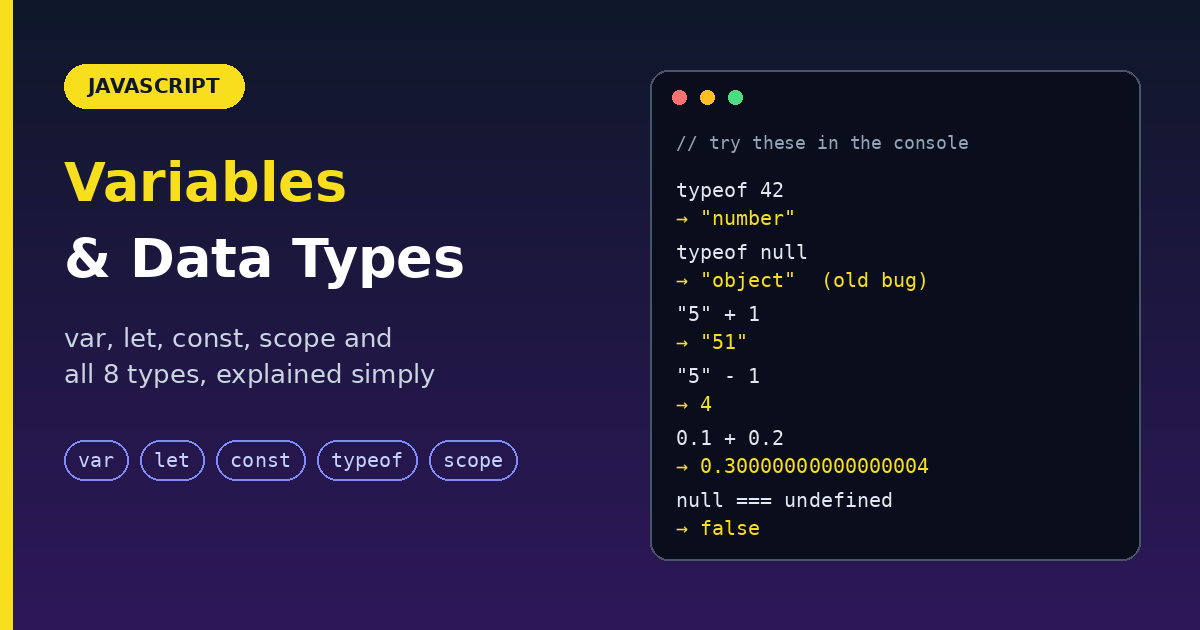
0.1 + 0.2;            // 0.30000000000000004
0.1 * 3;              // 0.30000000000000004
0.1 + 0.2 === 0.3;    // false
Fix 1: compare with a small tolerance
Math.abs(0.1 + 0.2 - 0.3) < Number.EPSILON;   // true

// A reusable helper (a slightly looser tolerance works for bigger numbers)
const nearlyEqual = (a, b, tolerance = 1e-9) => Math.abs(a - b) < tolerance;
nearlyEqual(0.1 + 0.2, 0.3);   // true
Fix 2: round the result for display
(0.1 + 0.2).toFixed(2); // "0.30"
Fix 3 (best for money): use whole numbers
Store prices in the smallest unit (paise or cents) and only convert for display.
19.99 * 100;               // 1998.9999999999998 (not 1999!)
Math.round(19.99 * 100);   // 1999

const priceInCents = 1999;
const total = priceInCents * 3;      // 5997 (exact, because it is a whole number)
(total / 100).toFixed(2);            // "59.97"
Rule: never use floating-point decimals for money math. Use integers or a decimal library.
7. Math helpers you will use with numbers
The Math object works hand in hand with Number.
Rounding: four ways
| Method | 4.7 |
4.2 |
-4.7 |
-4.2 |
2.5 |
-2.5 |
|---|---|---|---|---|---|---|
Math.round |
5 |
4 |
-5 |
-4 |
3 |
-2 |
Math.floor (down) |
4 |
4 |
-5 |
-5 |
2 |
-3 |
Math.ceil (up) |
5 |
5 |
-4 |
-4 |
3 |
-2 |
Math.trunc (cut off the decimals) |
4 |
4 |
-4 |
-4 |
2 |
-2 |
Gotcha: Math.round(-2.5) is -2, not -3. Halves round toward positive infinity.
Round to 2 decimals as a number:
Math.round(2.675 * 100) / 100;       // 2.68
Number((2.675).toFixed(2));          // 2.67  (toFixed and round can disagree on halves)
Other handy ones
Math.abs(-5);                // 5
Math.sign(-5);               // -1  (also 1 or 0)
Math.sqrt(16);               // 4
Math.cbrt(27);               // 3
2 ** 10;                     // 1024  (same as Math.pow(2, 10))
Math.hypot(3, 4);            // 5
Math.max(3, 9, 2);           // 9
Math.min(3, 9, 2);           // 2
Math.max(...[3, 9, 2]);      // 9  (spread an array into max)
Math.max();                  // -Infinity (no arguments)
Math.min();                  // Infinity
Random whole number between min and max (inclusive)
const randomInt = (min, max) =>
  Math.floor(Math.random() * (max - min + 1)) + min;

randomInt(1, 6);   // like rolling a die: 1, 2, 3, 4, 5, or 6
8. Very big numbers: BigInt
When integers go beyond Number.MAX_SAFE_INTEGER, use BigInt. Add an n at the end.
2n ** 64n;               // 18446744073709551616n
typeof 5n;               // "bigint"
Gotcha: you cannot mix BigInt and Number.
// 1n + 1;     // TypeError
1n + 1n;       // 2n
1n + BigInt(1);  // 2n
9. Readable big numbers: numeric separators
Underscores make long literals easier to read. They do not change the value.
const million = 1_000_000;
console.log(million);   // 1000000
Optimized and modern choices
| Instead of | Use | Why |
|---|---|---|
new Number(5) |
5 |
No wrapper objects |
isNaN(x) |
Number.isNaN(x) |
No hidden conversion |
isFinite(x) |
Number.isFinite(x) |
No hidden conversion |
x % 1 === 0 |
Number.isInteger(x) |
Clearer |
parseInt(x) with no radix |
parseInt(x, 10) |
Predictable |
parseInt(x) to drop decimals |
Math.trunc(x) |
Works for tiny and huge values |
["1","2"].map(parseInt) |
["1","2"].map(Number) |
No radix bug |
Number("") for empty input |
Check for empty first | "" becomes 0 |
0.1 + 0.2 === 0.3 |
Math.abs(a - b) < tolerance |
Floating-point error |
| Decimals for money | Integer cents | Exact math |
toFixed to show numbers to users |
toLocaleString / Intl.NumberFormat |
Correct grouping and currency |
1000000 |
1_000_000 |
Readable |
Common mistakes
| Mistake | Fix |
|---|---|
Comparing x === NaN |
Use Number.isNaN(x) |
Treating toFixed() as returning a number |
Wrap in Number(...) |
5.toFixed(2) |
(5).toFixed(2) |
Using new Number(0) in an if |
Use a primitive |
Expecting Number("") to be NaN |
It is 0 |
Expecting Number.MIN_VALUE to be very negative |
It is the smallest positive number |
| Summing money as decimals | Use whole cents |
Mixing BigInt and Number |
Convert one side first |
typeof x === "number" to validate input |
Also check Number.isFinite(x) |
parseInt(0.0000005) |
Use Math.trunc() |
Quick reference: what each one returns
| Method | Returns |
|---|---|
Number(x) |
number (or NaN) |
parseInt(s, radix) / parseFloat(s) |
number (or NaN) |
Number.isNaN / isFinite / isInteger / isSafeInteger |
boolean |
toFixed / toPrecision / toExponential |
string |
toString(radix) |
string |
toLocaleString(locale, options) |
string |
valueOf() |
number |
Math.round / floor / ceil / trunc |
number |
Math.max / Math.min |
number |
Wrap up
- JavaScript has one number type. Use primitives, not
new Number(). - Convert with
Number()(strict) orparseInt/parseFloat(pull a number out of text). Watch forNumber("")being0. - Check with
Number.isNaN,Number.isFinite, andNumber.isInteger, not the old global versions. toFixed,toPrecision,toString, andtoLocaleStringreturn strings.- Decimals are not exact (
0.1 + 0.2). Compare with a tolerance, and use whole numbers for money. - Use
toLocaleString/Intl.NumberFormatwhen showing numbers to users, andBigIntfor integers beyond the safe range.
Run every example in your browser console. Seeing the surprises yourself (Number(""), 1.005.toFixed(2), Math.round(-2.5)) is the fastest way to remember them.
Comments
Join the discussionNo comments yet. Be the first to comment.