Array Methods You Must Know
Understand important array instance methods
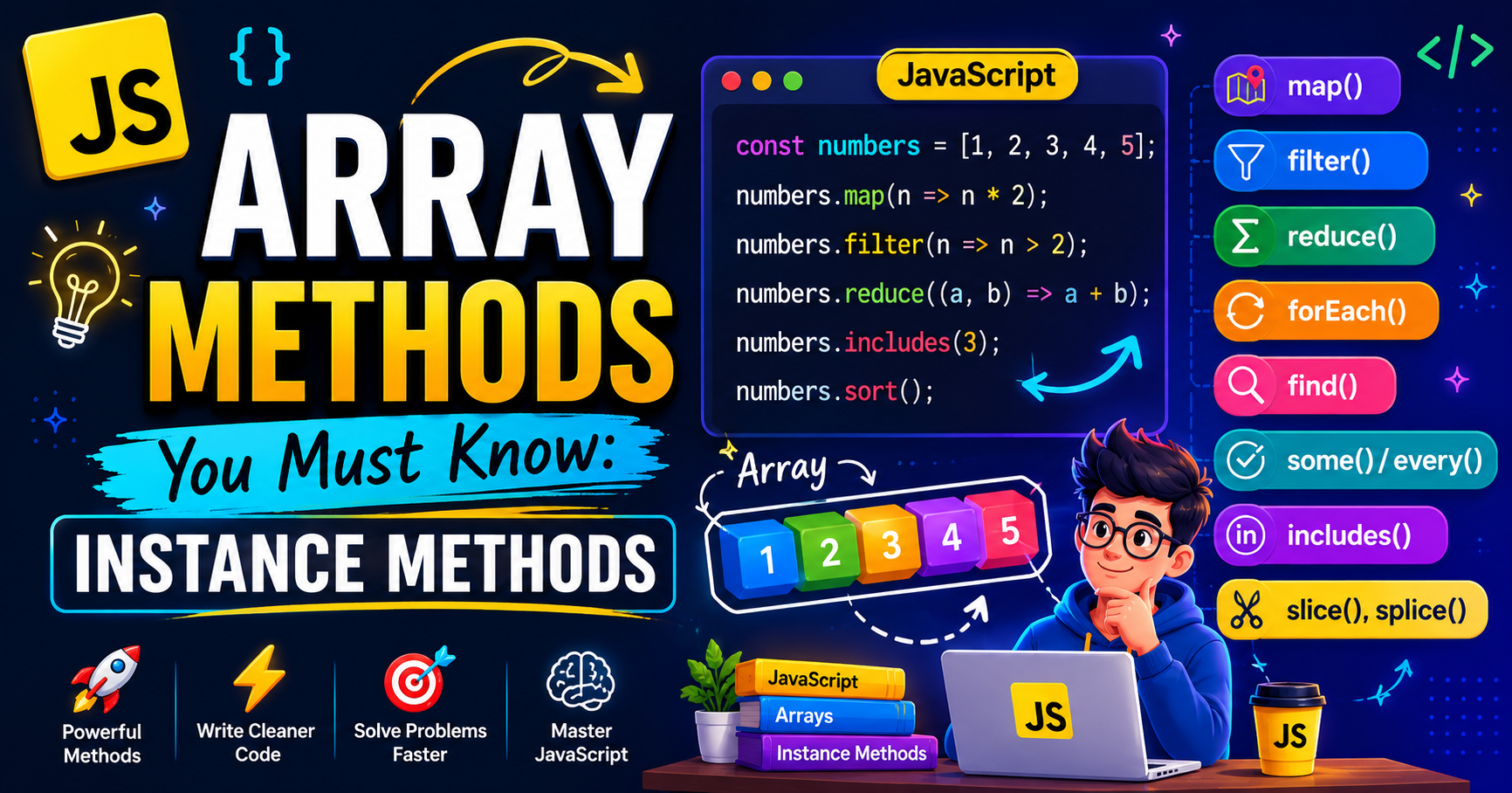
Instance Methods
The
push()method ofArrayinstances adds the specified elements to the end of an array and returns the new length of the array.Syntax: push() push(element1) push(element1, element2) push(element1, element2, /* …, */ elementN)const animals = ["pigs", "goats", "sheep"]; const sports = ["soccer", "baseball"]; const total = sports.push("football", "swimming"); console.log(sports); // ['soccer', 'baseball', 'football', 'swimming'] console.log(total); // 4const vegetables = ["parsnip", "potato"]; const moreVegs = ["celery", "beetroot"]; // Merge the second array into the first one vegetables.push(...moreVegs); console.log(vegetables); // ['parsnip', 'potato', 'celery', 'beetroot']The
pop()method ofArrayinstances removes the last element from an array and returns that element. This method changes the length of the array.const myFish = ["angel", "clown", "mandarin", "sturgeon"]; const popped = myFish.pop(); console.log(myFish); // ['angel', 'clown', 'mandarin' ] console.log(popped); // 'sturgeon'The
shift()method ofArrayinstances removes the first element from an array and returns that removed element. This method changes the length of the array.const myFish = ["angel", "clown", "mandarin", "surgeon"]; console.log("myFish before:", myFish); // myFish before: ['angel', 'clown', 'mandarin', 'surgeon'] const shifted = myFish.shift(); console.log("myFish after:", myFish); // myFish after: ['clown', 'mandarin', 'surgeon'] console.log("Removed this element:", shifted); // Removed this element: angelThe
unshift()method ofArrayinstances adds the specified elements to the beginning of an array and returns the new length of the array.Syntax: unshift() unshift(element1) unshift(element1, element2) unshift(element1, element2, /* …, */ elementN)const arr = [1, 2]; arr.unshift(0); // result of the call is 3, which is the new array length // arr is [0, 1, 2] arr.unshift(-2, -1); // the new array length is 5 // arr is [-2, -1, 0, 1, 2] arr.unshift([-4, -3]); // the new array length is 6 // arr is [[-4, -3], -2, -1, 0, 1, 2] arr.unshift([-7, -6], [-5]); // the new array length is 8 // arr is [ [-7, -6], [-5], [-4, -3], -2, -1, 0, 1, 2 ]let arr = [4, 5, 6]; arr.unshift(1, 2, 3); console.log(arr); // [1, 2, 3, 4, 5, 6] arr = [4, 5, 6]; // resetting the array arr.unshift(1); arr.unshift(2); arr.unshift(3); console.log(arr); // [3, 2, 1, 4, 5, 6]The
indexOf()method ofArrayinstances returns the first index at which a given element can be found in the array, or -1 if it is not present.Syntax: indexOf(searchElement) indexOf(searchElement, fromIndex)const array = [2, 9, 9]; array.indexOf(2); // 0 array.indexOf(7); // -1 array.indexOf(9, 2); // 2 array.indexOf(2, -1); // -1 array.indexOf(2, -3); // 0 const array = [NaN]; array.indexOf(NaN); // -1The
includes()method ofArrayinstances determines whether an array includes a certain value among its entries, returningtrueorfalseas appropriate.Syntax: includes(searchElement) includes(searchElement, fromIndex)[1, 2, 3].includes(2); // true [1, 2, 3].includes(4); // false [1, 2, 3].includes(3, 3); // false [1, 2, 3].includes(3, -1); // true [1, 2, NaN].includes(NaN); // true ["1", "2", "3"].includes(3); // false const arr = ["a", "b", "c"]; arr.includes("c", 3); // false arr.includes("c", 100); // falseThe
reverse()method ofArrayinstances reverse an array in place and return the reference to the same array.
To reverse the elements in an array without mutating the original array, usetoReversed().const items = [1, 2, 3]; console.log(items); // [1, 2, 3] items.reverse(); console.log(items); // [3, 2, 1]const numbers = [3, 2, 4, 1, 5]; const reversed = numbers.reverse(); // numbers and reversed are both in reversed order [5, 1, 4, 2, 3] reversed[0] = 5; console.log(numbers[0]); // 5The
sort()method ofArrayThe instance sorts the elements of an array in place and returns a reference to the same array, now sorted.
To reverse the elements in an array without mutating the original array, usetoSorted().Syntax: sort() sort(compareFn)Sort an array of numbers using compare function
const numbers = [3, 1, 4, 1, 5];

function compareFn(a, b) {
  return a - b;
}

const sorted = numbers.sort(compareFn);
// numbers and sorted are both [1, 1, 3, 4, 5]
sorted[0] = 10;
console.log(numbers[0]); // 10
Arrays of objects can be sorted by comparing the value of one of their properties.
const items = [
  { name: "Edward", value: 21 },
  { name: "Sharpe", value: 37 },
  { name: "And", value: 45 },
  { name: "The", value: -12 },
  { name: "Magnetic", value: 13 },
  { name: "Zeros", value: 37 },
];

// sort by value
items.sort((a, b) => a.value - b.value);

// sort by name
items.sort((a, b) => {
  const nameA = a.name.toUpperCase(); // ignore upper and lowercase
  const nameB = b.name.toUpperCase(); // ignore upper and lowercase
  if (nameA < nameB) {
    return -1;
  }
  if (nameA > nameB) {
    return 1;
  }

  // names must be equal
  return 0;
});
The
splice()method ofArrayinstances change the contents of an array by removing or replacing existing elements and/or adding new elements in place.
To create a new array with a segment removed and/or replaced without mutating the original array, usetoSpliced().Syntax: splice(start) splice(start, deleteCount) splice(start, deleteCount, item1) splice(start, deleteCount, item1, item2) splice(start, deleteCount, item1, item2, /* …, */ itemN)const myFish = ["angel", "clown", "mandarin", "sturgeon"]; const removed = myFish.splice(2); // myFish is ["angel", "clown"] // removed is ["mandarin", "sturgeon"]const myFish = ["parrot", "anemone", "blue", "trumpet", "sturgeon"]; const removed = myFish.splice(2, 2); // myFish is ["parrot", "anemone", "sturgeon"] // removed is ["blue", "trumpet"]const myFish = ["angel", "clown", "trumpet", "sturgeon"]; const removed = myFish.splice(0, 2, "parrot", "anemone", "blue"); // myFish is ["parrot", "anemone", "blue", "trumpet", "sturgeon"] // removed is ["angel", "clown"]The
flat()method ofArrayinstances creates a new array with all sub-array elements concatenated into it recursively up to the specified depth.Syntax: flat() flat(depth)const arr1 = [1, 2, [3, 4]]; arr1.flat(); // [1, 2, 3, 4] const arr2 = [1, 2, [3, 4, [5, 6]]]; arr2.flat(); // [1, 2, 3, 4, [5, 6]] const arr3 = [1, 2, [3, 4, [5, 6]]]; arr3.flat(2); // [1, 2, 3, 4, 5, 6] const arr4 = [1, 2, [3, 4, [5, 6, [7, 8, [9, 10]]]]]; arr4.flat(Infinity); // [1, 2, 3, 4, 5, 6, 7, 8, 9, 10]The
join()method ofArrayinstances creates and returns a new string by concatenating all elements in this array, separated by commas or by a specified separator string. If the array has only one item, that item will be returned without using a separator.join() join(separator)const matrix = [ [1, 2, 3], [4, 5, 6], [7, 8, 9], ]; console.log(matrix.join()); // 1,2,3,4,5,6,7,8,9 console.log(matrix.join(";")); // 1,2,3;4,5,6;7,8,9 const a = ["Wind", "Water", "Fire"]; a.join(); // 'Wind,Water,Fire' a.join(", "); // 'Wind, Water, Fire' a.join(" + "); // 'Wind + Water + Fire' a.join(""); // 'WindWaterFire'When an array is cyclic (it contains an element that is itself), browsers avoid infinite recursion by ignoring the cyclic reference.
const arr = [];
arr.push(1, [3, arr, 4], 2);
console.log(arr.join(";")); // 1;3,,4;2
The
some()method ofArrayinstances returnstrueIf it finds an element in the array that satisfies the provided testing function. Otherwise, it returns.false.some(callbackFn) some(callbackFn, thisArg)// Using regular function function isBiggerThan10(element, index, array) { return element > 10; } [2, 5, 8, 1, 4].some(isBiggerThan10); // false [12, 5, 8, 1, 4].some(isBiggerThan10); // true // Using arrow function [2, 5, 8, 1, 4].some((x) => x > 10); // false [12, 5, 8, 1, 4].some((x) => x > 10); // trueCheck whether a value exists in an array
const fruits = ["apple", "banana", "mango", "guava"];

function checkAvailability(arr, val) {
  return arr.some((arrVal) => val === arrVal);
}

checkAvailability(fruits, "grapefruit"); // false
checkAvailability(fruits, "banana"); // true
The
concat()method ofArrayinstances are used to merge two or more arrays. This method does not change the existing arrays; instead, it returns a new array.Syntax: concat() concat(value1) concat(value1, value2) concat(value1, value2, /* …, */ valueN)const num1 = [1, 2, 3]; const num2 = [4, 5, 6]; const num3 = [7, 8, 9]; const numbers = num1.concat(num2, num3); console.log(numbers); // results in [1, 2, 3, 4, 5, 6, 7, 8, 9]Concatenating nested arrays
const num1 = [[1]];
const num2 = [2, [3]];

const numbers = num1.concat(num2);

console.log(numbers);
// results in [[1], 2, [3]]

// modify the first element of num1
num1[0].push(4);

console.log(numbers);
// results in [[1, 4], 2, [3]]
The
fill()method ofArrayinstances changes all elements within a range of indices in an array to a static value. It returns the modified array.Syntax: fill(value) fill(value, start) fill(value, start, end)console.log([1, 2, 3].fill(4)); // [4, 4, 4] console.log([1, 2, 3].fill(4, 1)); // [1, 4, 4] console.log([1, 2, 3].fill(4, 1, 2)); // [1, 4, 3] console.log([1, 2, 3].fill(4, 1, 1)); // [1, 2, 3] console.log([1, 2, 3].fill(4, 3, 3)); // [1, 2, 3] console.log([1, 2, 3].fill(4, -3, -2)); // [4, 2, 3] console.log([1, 2, 3].fill(4, NaN, NaN)); // [1, 2, 3] console.log([1, 2, 3].fill(4, 3, 5)); // [1, 2, 3] console.log(Array(3).fill(4)); // [4, 4, 4] // A single object, referenced by each slot of the array: const arr = Array(3).fill({}); // [{}, {}, {}] arr[0].hi = "hi"; // [{ hi: "hi" }, { hi: "hi" }, { hi: "hi" }]The
slice()method ofArrayinstances returns a shallow copy of a portion of an array into a new array object selected fromstarttoend(endnot included) wherestartandendrepresent the index of items in that array. The original array will not be modified.Syntax: slice() slice(start) slice(start, end)Returns: A new array containing the extracted elements.Return a portion of the existing array
const fruits = ["Banana", "Orange", "Lemon", "Apple", "Mango"];
const citrus = fruits.slice(1, 3);

// fruits contains ['Banana', 'Orange', 'Lemon', 'Apple', 'Mango']
// citrus contains ['Orange','Lemon']
Omitting the end parameter
const fruits = ["Apple", "Banana", "Orange", "Mango", "Pineapple"];

const tropical = fruits.slice(2);
console.log(tropical); // ['Orange', 'Mango', 'Pineapple']
Using negative indices
const fruits = ["Apple", "Banana", "Orange", "Mango", "Pineapple"];

const lastTwo = fruits.slice(-2);
console.log(lastTwo); // ['Mango', 'Pineapple']
Using a positive start index and a negative end index
const fruits = ["Apple", "Banana", "Orange", "Mango", "Pineapple"];

// Using positive start index and negative end index
const sliceExample = fruits.slice(1, -1);
console.log(sliceExample); // ['Banana', 'Orange', 'Mango']
Using slicing with an array of objects
// Using slice, create newCar from myCar.
const myHonda = {
  color: "red",
  wheels: 4,
  engine: { cylinders: 4, size: 2.2 },
};
const myCar = [myHonda, 2, "cherry condition", "purchased 1997"];
const newCar = myCar.slice(0, 2);

console.log("myCar =", myCar);
// [myHonda, 2, "cherry condition", "purchased 1997"]
console.log("newCar =", newCar); // [myHonda, 2]
console.log("myCar[0].color =", myCar[0].color); // red
console.log("newCar[0].color =", newCar[0].color); // red

// Change the color of myHonda.
myHonda.color = "purple";
console.log("The new color of my Honda is", myHonda.color);

console.log("myCar[0].color =", myCar[0].color); // purple
console.log("newCar[0].color =", newCar[0].color); // purple
Using the slice method on a sparse array
console.log([1, 2, , 4, 5].slice(1, 4)); // [2, empty, 4]
Most important instance array methods (forEach, map, filter and reduce) used for looping
The
forEach()method ofArrayinstances execute a provided function once for each array element.Syntax: forEach(callbackFn) forEach(callbackFn, thisArg)Converting a
for(){}loop toforEach()const items = ["item1", "item2", "item3"]; const copyItems = []; // before for (let i = 0; i < items.length; i++) { copyItems.push(items[i]); } // after items.forEach((item) => { copyItems.push(item); }); console.log(copyItems);Using the third argument of the callback
const numbers = [3, -1, 1, 4, 1, 5];
numbers
  .filter((num) => num > 0)
  .forEach((num, idx, arr) => {
    // Without the arr argument, there's no way to easily access the
    // intermediate array without saving it to a variable.
    console.log(arr[idx - 1], num, arr[idx + 1]);
  });
// undefined 3 1
// 3 1 4
// 1 4 1
// 4 1 5
// 1 5 undefined
The
map()method ofArrayinstances creates a new array populated with the results of calling a provided function on every element in the calling array.Syntax: map(callbackFn) map(callbackFn, thisArg)const numbers = [1, 4, 9]; const roots = numbers.map((num) => Math.sqrt(num)); console.log(roots); // roots is now [1, 2, 3] // numbers is still [1, 4, 9] // extras ["1", "2", "3"].map((str) => parseInt(str, 10)); // [1, 2, 3] ["1", "2", "3"].map(Number); // [1, 2, 3]Using a map to reformat objects in an array
const kvArray = [
  { key: 1, value: 10 },
  { key: 2, value: 20 },
  { key: 3, value: 30 },
];

const reformattedArray = kvArray.map(({ key, value }) => ({ [key]: value }));

console.log(reformattedArray); // [{ 1: 10 }, { 2: 20 }, { 3: 30 }]
console.log(kvArray);
// [
//   { key: 1, value: 10 },
//   { key: 2, value: 20 },
//   { key: 3, value: 30 }
// ]
Using the third argument of the callback
const numbers = [3, -1, 1, 4, 1, 5, 9, 2, 6];
const averaged = numbers
  .filter((num) => num > 0) // [3, 1, 4, 1, 5, 9, 2, 6]
  .map((num, idx, arr) => {
    // Without the arr argument, there's no way to easily access the
    // intermediate array without saving it to a variable.
    const prev = arr[idx - 1];
    const next = arr[idx + 1];
    let count = 1;
    let total = num;
    if (prev !== undefined) {
      count++;
      total += prev;
    }
    if (next !== undefined) {
      count++;
      total += next;
    }
    const average = total / count;
    // Keep two decimal places
    return Math.round(average * 100) / 100;
  });
console.log(averaged); // [2, 2.67, 2, 3.33, 5, 5.33, 5.67, 4]
The
filter()method ofArrayinstances creates a shallow copy of a portion of a given array, filtered down to just the elements from the given array that pass the test implemented by the provided function.Syntax: filter(callbackFn) filter(callbackFn, thisArg)const words = ["spray", "elite", "exuberant", "destruction", "present"]; const result = words.filter((word) => word.length > 6); console.log(result); // Expected output: Array ["exuberant", "destruction", "present"]Find all prime numbers in an array
const array = [-3, -2, -1, 0, 1, 2, 3, 4, 5, 6, 7, 8, 9, 10, 11, 12, 13];

function isPrime(n) {
  if (n < 2) {
    return false;
  }
  if (n % 2 === 0) {
    return n === 2;
  }
  for (let factor = 3; factor * factor <= n; factor += 2) {
    if (n % factor === 0) {
      return false;
    }
  }
  return true;
}

console.log(array.filter(isPrime)); // [2, 3, 5, 7, 11, 13]
Uses
filter()to create a filtered array of all objects with non-zero, numericidconst arr = [ { id: 15 }, { id: -1 }, { id: 0 }, { id: 3 }, { id: 12.2 }, {}, { id: null }, { id: NaN }, { id: "undefined" }, ]; let invalidEntries = 0; function filterByID(item) { if (Number.isFinite(item.id) && item.id !== 0) { return true; } invalidEntries++; return false; } const arrByID = arr.filter(filterByID); console.log("Filtered Array\n", arrByID); // Filtered Array // [{ id: 15 }, { id: -1 }, { id: 3 }, { id: 12.2 }] console.log("Number of Invalid Entries =", invalidEntries); // Number of Invalid Entries = 5The
reduce()method ofArrayinstances executes a user-supplied "reducer" callback function on each element of the array, in order, passing in the return value from the calculation on the preceding element. The final result of running the reducer across all elements of the array is a single value.Syntax: reduce(callbackFn) reduce(callbackFn, initialValue)const array = [1, 2, 3, 4]; // 0 + 1 + 2 + 3 + 4 const initialValue = 0; const sumWithInitial = array.reduce( (accumulator, currentValue) => accumulator + currentValue, initialValue, ); console.log(sumWithInitial); // Expected output: 10const getMax = (a, b) => Math.max(a, b); // callback is invoked for each element in the array starting at index 0 [1, 100].reduce(getMax, 50); // 100 [50].reduce(getMax, 10); // 50 // callback is invoked once for element at index 1 [1, 100].reduce(getMax); // 100 // callback is not invoked [50].reduce(getMax); // 50 [].reduce(getMax, 1); // 1 [].reduce(getMax); // TypeError