Arrow Functions in JavaScript: A Simpler Way to Write Functions
Let's make function more easy to write by using arrow function
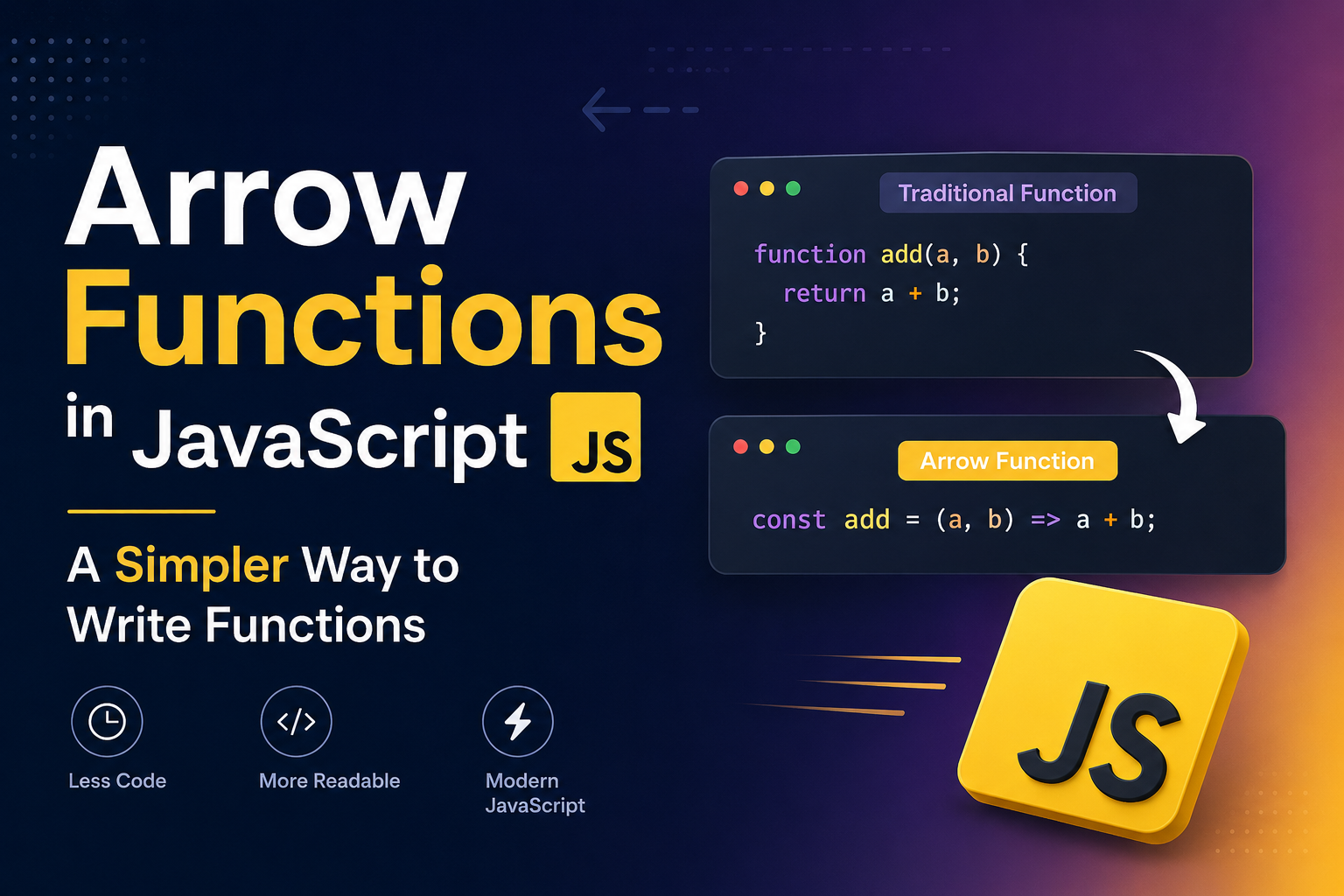
An arrow function expression is a compact alternative to a traditional function expression, with some semantic differences and deliberate limitations in usage:
Arrow functions don't have their own bindings to
this,arguments, orsuper, and should not be used as methods.Arrow functions cannot be used as constructors. Calling them with
newthrows aTypeError. They also don't have access to thenew.targetkeyword.Arrow functions cannot be used
yieldwithin their body and cannot be created as generator functions.
Syntax:

// return expression (oneline statement)
() => expression

param => expression

(param) => expression

(param1, paramN) => expression

// executing multiple statements in a block
() => {
  statements
}

param => {
  statements
}

(param1, paramN) => {
  statements
}
Rest parameters, default parameters, and destructuring within params are supported, and always require parentheses.
(a, b, ...r) => expression
(a = 400, b = 20, c) => expression
([a, b] = [10, 20]) => expression
({ a, b } = { a: 10, b: 20 }) => expression
Arrow functions can be
asyncby prefixing the expression with theasynckeyword.
async param => expression
async (param1, param2, ...paramN) => {
  statements
}
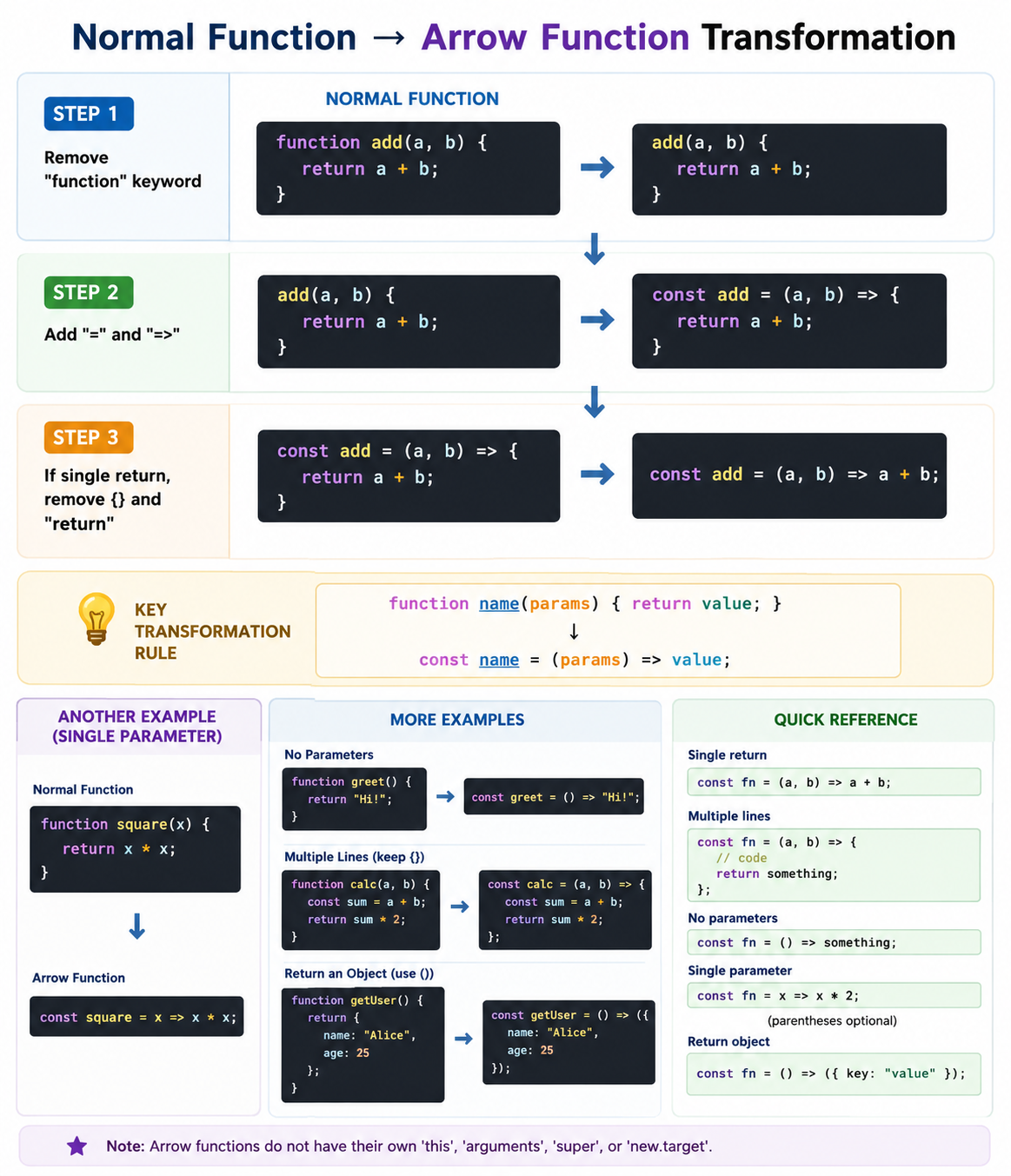
Let's decompose a traditional anonymous function down to the simplest arrow function step-by-step. Each step along the way is a valid arrow function.
// Traditional anonymous function
(function (a) {
  return a + 100;
});

// 1. Remove the word "function" and place arrow between the argument and opening body brace
(a) => {
  return a + 100;
};

// 2. Remove the body braces and word "return" — the return is implied.
(a) => a + 100;

// 3. Remove the parameter parentheses
a => a + 100;
Arrow functions are not inherently associated with a name. If the arrow function needs to call itself, use a named function expression instead. You can also assign the arrow function to a variable, allowing you to refer to it through that variable.
// Traditional Function
function bob(a) {
  return a + 100;
}

// Arrow Function
const bob2 = (a) => a + 100;

// Return object by arrow function
const func = () => ({ foo: 1 });
In an expression body, only a single expression is specified, which becomes the implicit return value. The block body is analogous to traditional function bodies, where return values must be explicitly specified with the return keyword. Arrow functions are not required to return a value. If execution of the block body reaches the end without encountering a return statement, the function returns undefined like other functions.
// Expression body
const add = (a, b) => a + b; // Implicitly returns a + b

// Block body
const add2 = (a, b) => {
  console.log(a, b);
  return a + b; // Must explicitly return a value
};

// No return value
const add3 = (b) => {
  a += b;
  // No return statement, so returns undefined
};
Conclusion
Using arrow function for implementing map(), filter(), reduce() methods
// Easy array filtering, mapping, etc.
const arr = [5, 6, 13, 0, 1, 18, 23];

const sum = arr.reduce((a, b) => a + b);
// 66

const even = arr.filter((v) => v % 2 === 0);
// [6, 0, 18]

const double = arr.map((v) => v * 2);
// [10, 12, 26, 0, 2, 36, 46]