Arrow Functions in JavaScript
Let's make function more easy to write by using arrow function
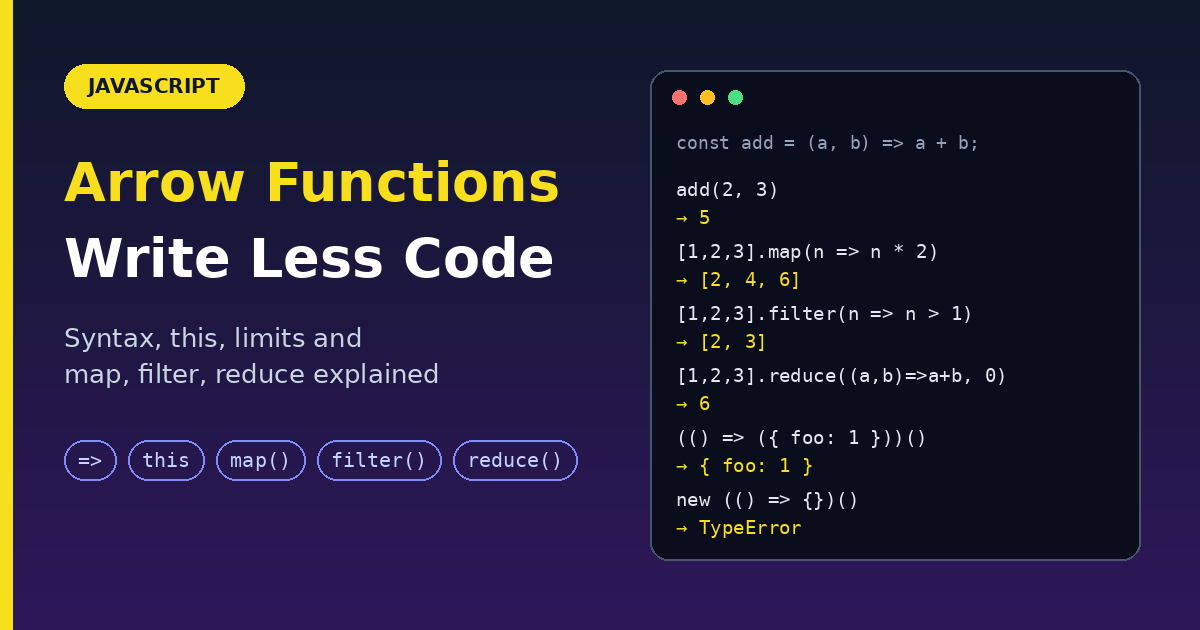
Arrow functions => are a shorter way to write functions, introduced in ES6. They make callbacks and one-liners much cleaner. But they are not just shorter syntax: they behave differently from regular functions in a few important ways. This guide covers the syntax, the rules, the differences, and when not to use them.
Regular function vs. arrow function
// Regular function
function add(a, b) {
  return a + b;
}

// Arrow function
const add = (a, b) => a + b;
Same result, much shorter.
Syntax
One expression (the value is returned automatically):
() => expression                // no parameters
param => expression             // one parameter (parentheses optional)
(param) => expression           // one parameter
(param1, param2) => expression  // multiple parameters
Multiple statements (use a block { }):
() => {
  statements
}

(param1, param2) => {
  statements
  return value
}
Parentheses are required when the parameters are anything other than one plain name: no parameters, two or more, default values, rest, or destructuring.
(a, b, ...rest) => expression          // rest parameters
(a = 400, b = 20, c) => expression     // default parameters
([a, b] = [10, 20]) => expression      // array destructuring
({ a, b } = { a: 10, b: 20 }) => expression   // object destructuring
Async arrow functions: put async in front.
async param => expression

const getUser = async (id) => {
  const res = await fetch(`/api/users/${id}`);
  return res.json();
};
From regular function to arrow, step by step
Each step below is valid code.
// Traditional anonymous function
(function (a) {
  return a + 100;
});

// 1. Remove the word "function" and add the arrow before the opening brace
(a) => {
  return a + 100;
};

// 2. Remove the braces and the word "return" (the return is implied)
(a) => a + 100;

// 3. With a single parameter, remove the parentheses
a => a + 100;
Expression body vs block body
| Expression body | Block body | |
|---|---|---|
| Syntax | (a, b) => a + b |
(a, b) => { ... } |
| Returns | The expression, automatically | Only what you return |
| Use for | One-line logic | Several statements |
// Expression body: implicit return
const add = (a, b) => a + b;

// Block body: explicit return
const add2 = (a, b) => {
  console.log(a, b);
  return a + b;
};

// Block body with no return: returns undefined
let total = 0;
const addToTotal = (b) => {
  total += b;
};
addToTotal(5);   // undefined (but total is now 5)
Gotcha: returning an object literal
JavaScript reads { after => as a function body, not an object. Wrap the object in parentheses.
const wrong = () => { foo: 1 };     // returns undefined (the braces are a block)
const right = () => ({ foo: 1 });   // returns { foo: 1 }
Naming and calling themselves
Arrow functions have no name of their own. Assign them to a variable to refer to them:
// Traditional function
function bob(a) {
  return a + 100;
}

// Arrow function stored in a variable
const bob2 = (a) => a + 100;
An arrow function stored in a const can call itself through that variable name:
const factorial = (n) => (n <= 1 ? 1 : n * factorial(n - 1));
factorial(5);   // 120
The big difference: this
A regular function gets its ownthis, which depends on how it is called. An arrow function has no this of its own: it uses the this from the place where it was written. This is called lexical this.
Where arrow functions win: callbacks
const timer = {
  seconds: 0,

  startBroken() {
    setInterval(function () {
      this.seconds++;          // `this` is NOT timer here: bug
    }, 1000);
  },

  start() {
    setInterval(() => {
      this.seconds++;          // `this` is timer: works
    }, 1000);
  },
};
Where arrow functions fail: object methods
const user = {
  name: "Sam",

  greetArrow: () => `Hi, ${this.name}`,   // `this` is NOT user

  greet() {                               // regular method: correct
    return `Hi, ${this.name}`;
  },
};

user.greet();        // "Hi, Sam"
user.greetArrow();   // not "Hi, Sam" (undefined name)
Rule: use regular method syntax for object methods and arrow functions for callbacks inside them.
Other limits (by design)
| Rule | Detail |
|---|---|
No own this, arguments, super |
They use the surrounding ones. Don't use arrows as methods. |
| Cannot be constructors | new throws a TypeError. No new.target either. |
| Cannot be generators | yield is not allowed inside, and there is no =>* syntax. |
| Not hoisted like declarations | A const arrow function can't be called before its line. |
const Person = (name) => { this.name = name; };
new Person("Sam");     // TypeError: Person is not a constructor

hello();               // ReferenceError: cannot access 'hello' before initialization
const hello = () => console.log("Hi");
No arguments object? Use rest parameters instead. They are cleaner anyway.
const sumAll = (...nums) => nums.reduce((a, b) => a + b, 0);
sumAll(1, 2, 3);   // 6
Regular function vs arrow function
| Feature | Regular function | Arrow function |
|---|---|---|
| Syntax | Longer | Short |
Own this |
Yes (depends on the call) | No (lexical this) |
Own arguments |
Yes | No (use ...rest) |
Use with new |
Yes | No |
Generator (yield) |
Yes (function*) |
No |
| Good as object method | Yes | No |
| Good as callback | Okay | Best |
| Hoisted | Declarations: yes | No (stored in a variable) |
Arrow functions with array methods
This is where arrow functions shine. The callbacks become one-liners.
const arr = [5, 6, 13, 0, 1, 18, 23];

const sum = arr.reduce((a, b) => a + b, 0);
// 66

const even = arr.filter((v) => v % 2 === 0);
// [6, 0, 18]

const double = arr.map((v) => v * 2);
// [10, 12, 26, 0, 2, 36, 46]
Always give reduce a starting value (0 above). Without it, an empty array throws a TypeError.
[].reduce((a, b) => a + b);      // TypeError
[].reduce((a, b) => a + b, 0);   // 0
More examples:
arr.find((v) => v > 10);               // 13   (first match)
arr.some((v) => v === 0);              // true (any match?)
arr.every((v) => v >= 0);              // true (all match?)
[3, 1, 2].sort((a, b) => a - b);       // [1, 2, 3]
Chaining reads like a sentence:
const result = [1, 2, 3, 4, 5, 6]
  .filter((n) => n % 2 === 0)   // [2, 4, 6]
  .map((n) => n * n)            // [4, 16, 36]
  .reduce((a, b) => a + b, 0);  // 56
Bonus patterns
Default and destructured parameters:
const greet = (name = "Guest") => `Hi, ${name}`;
greet();          // "Hi, Guest"

const show = ({ name, age }) => `${name} is ${age}`;
show({ name: "Sam", age: 20 });   // "Sam is 20"
Returning another function (currying):
const add = (a) => (b) => a + b;
add(2)(3);        // 5

const add10 = add(10);
add10(5);         // 15
When to use what
Use an arrow function for:
- Callbacks:
map,filter,reduce,forEach,setTimeout, promise.then() - Short one-line helpers
- Anywhere you want
thisfrom the surrounding code
Use a regular function for:
- Object methods
- Constructors (and class-style prototypes)
- Functions that need their own
thisorarguments - Generators (
function*) - Event handlers where you need
thisto be the element
Common mistakes
| Mistake | Fix |
|---|---|
() => { foo: 1 } to return an object |
() => ({ foo: 1 }) |
| Arrow function as an object method | Use method shorthand greet() {} |
Using new on an arrow function |
Use a regular function or a class |
Relying on arguments |
Use ...rest parameters |
reduce without an initial value |
Pass one: reduce(fn, 0) |
Forgetting return inside a block body |
Add return, or drop the braces |
| Calling an arrow function before its definition | Define it first |
Wrap up
- Arrow functions are a shorter syntax:
(a, b) => a + b. - With an expression body, the value returns automatically. With a block body, you must
return. - They have no own
this, which is perfect for callbacks and wrong for object methods. - They cannot be used with
new, cannot be generators, and have noarguments. - Use them with
map(),filter(), andreduce()for clean, readable code.
Try rewriting a few of your regular functions as arrow functions in the browser console. Notice which ones can change and which ones should not.
Comments
Join the discussionNo comments yet. Be the first to comment.