Different Ways to Create Arrays in JavaScript
Using the constructor and static methods to create arrays in JavaScript
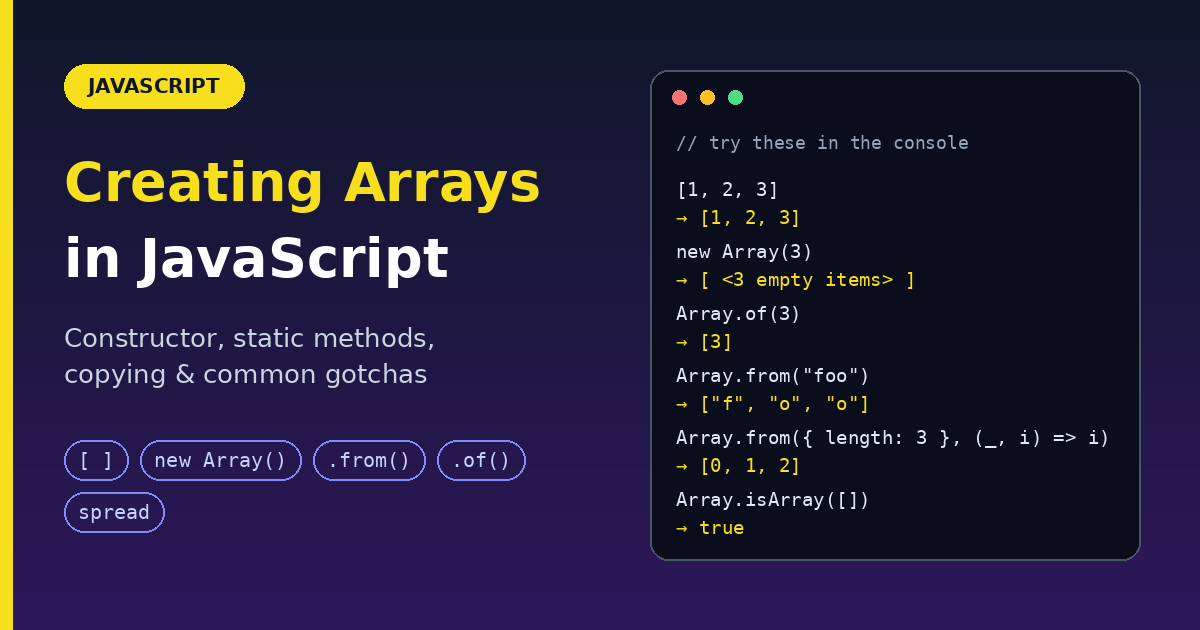
An array is a list-like object that stores multiple values under a single variable name: a cart's items, a list of users, the letters of a word. JavaScript gives you several ways to create one: literals, the Array constructor, and static methods like Array.from() and Array.of(). This guide explains each one with what it returns, a simple example, and the gotchas, then covers how to copy arrays safely.
The quick picture
| Way | Example | Best for |
|---|---|---|
| Literal | [1, 2, 3] |
Almost everything (use this by default) |
new Array(n) |
new Array(3) |
Rarely; creates empty slots |
Array.of() |
Array.of(3) |
Making an array from values, safely |
Array.from() |
Array.from("abc") |
Converting strings, Sets, Maps, NodeLists |
Array.from({ length }) |
Array.from({ length: 5 }, (_, i) => i) |
Generating sequences and grids |
| Spread | [...set] |
Copying, merging, converting iterables |
1. Array literal (the default)
Square brackets with values inside. It is the shortest, clearest, and most common way.
- Returns: a new array
const fruits = ["Apple", "Banana"];
console.log(fruits.length);   // 2
console.log(fruits[0]);       // "Apple"

const empty = [];             // empty array
const mixed = [1, "two", true, null, { a: 1 }, [2, 3]];   // any types, even nested
Rule: if you already know the values, use a literal.
2. new Array() constructor
The Array constructor behaves differently depending on what you pass it. This is its famous gotcha.
With one number: sets the length
const arrayEmpty = new Array(2);

console.log(arrayEmpty.length);   // 2
console.log(arrayEmpty[0]);       // undefined (it is an empty slot)
console.log(0 in arrayEmpty);     // false (no item exists at index 0)
console.log(1 in arrayEmpty);     // false
The array has a length of 2 but no items. The slots are empty, which is not the same as holding undefined.
new Array(3);                      // [ <3 empty items> ]
[undefined, undefined, undefined]; // 3 real items that happen to be undefined
Gotcha: array methods skip empty slots.
new Array(3).map((_, i) => i); // [ <3 empty items> ] (map did nothing!)
Invalid lengths throw an error:
new Array(-1);    // RangeError: Invalid array length
new Array(1.5);   // RangeError: Invalid array length
With more than one argument: creates an array of those values
const fruits = new Array("Apple", "Banana");
console.log(fruits.length);   // 2
console.log(fruits[0]);       // "Apple"
With one non-number: also creates an array of that value
new Array("3");   // ["3"]   (a string is a value, not a length)
new Array(3);     // [ <3 empty items> ]   (a number is a length)
The problem:
new Array(3)andnew Array("3")do completely different things, andnew Array(3, 4)works differently again. That inconsistency is why people avoid the constructor and useArray.of()or a literal.
You can also call it without new: Array(3) works the same way.
3. Array.of(): always makes an array of the values
Array.of() fixes the constructor's single-number problem. Whatever you pass becomes items, never a length.
- Returns: a new array containing the arguments
Array.of(1);                       // [1]          (not an empty array of length 1)
Array.of(1, 2, 3);                 // [1, 2, 3]
Array.of(undefined);               // [undefined]
Array.of("foo", 2, "bar", true);   // ["foo", 2, "bar", true]
Array.of();                        // []
Compare directly:
Array(3);      // [ <3 empty items> ]   (length 3, no items)
Array.of(3);   // [3]                   (one item: the number 3)
Honest note: for known values, the literal
[3]does the same thing with less typing.Array.of()is mainly useful when you need to pass "make an array" around as a function, or when subclassing: afterclass Stack extends Array {}, callingStack.of(1, 2)returns aStack, not a plain array.
4. Array.from(): the converter
Think of Array.from() as a translator. It takes things that look like arrays (or can be looped over) and turns them into real arrays, so you can use .map(), .filter(), .forEach() and the rest.
- Syntax:
Array.from(items, mapFn?, thisArg?) - Returns: a new array
- Works with: iterables (strings, Sets, Maps, NodeLists, generators) and array-likes (objects with a
length)
From a string
Array.from("foo"); // ["f", "o", "o"]
Each character becomes one item.
From a Set (removing duplicates)
const set = new Set(["foo", "bar", "baz", "foo"]);
Array.from(set);   // ["foo", "bar", "baz"]

// Common one-liner: remove duplicates from an array
const unique = Array.from(new Set([1, 2, 2, 3, 3, 3]));   // [1, 2, 3]
From a Map
A Map becomes an array of [key, value] pairs.
const map = new Map([
  [1, 2],
  [2, 4],
  [4, 8],
]);
Array.from(map);   // [[1, 2], [2, 4], [4, 8]]

const mapper = new Map([
  ["1", "a"],
  ["2", "b"],
]);
Array.from(mapper.values());   // ["a", "b"]
Array.from(mapper.keys());     // ["1", "2"]
From an array-like object
An array-like has a length and indexed items, but is not a real array, so it lacks map and filter. The classic example is arguments.
function f() {
  return Array.from(arguments);
}

f(1, 2, 3);   // [1, 2, 3]
Another very common case: DOM elements. querySelectorAll returns a NodeList, not an array.
const buttons = Array.from(document.querySelectorAll("button"));
buttons.filter((b) => b.disabled);   // now array methods work
In modern code, prefer rest parameters over arguments: function f(...args) { return args; } already gives you a real array.
With a map function (the second argument)
Array.from(items, mapFn) is the same as Array.from(items).map(mapFn), but without creating a temporary array.
Array.from([1, 2, 3], (x) => x + x);   // [2, 4, 6]
Array.from("123", Number);              // [1, 2, 3]
The callback receives (value, index).
Generate a sequence of numbers
{ length: 5 } is an array-like with 5 positions that have no values yet, so each v is undefined. You use the index instead.
Array.from({ length: 5 }, (v, i) => i);          // [0, 1, 2, 3, 4]
Array.from({ length: 5 }, (_, i) => i + 1);      // [1, 2, 3, 4, 5]
Array.from({ length: 5 }, (_, i) => i * 2);      // [0, 2, 4, 6, 8]
Array.from({ length: 3 }, () => "x");            // ["x", "x", "x"]
Create separate objects (fixes a classic bug)
// Wrong: the SAME object is placed in every slot
const bad = Array(3).fill({});
bad[0].hi = "hi";
console.log(bad);    // [{ hi: "hi" }, { hi: "hi" }, { hi: "hi" }]

// Right: a NEW object for each slot
const good = Array.from({ length: 3 }, () => ({}));
good[0].hi = "hi";
console.log(good);   // [{ hi: "hi" }, {}, {}]
The same trap applies to 2D grids:
// Wrong: every row is the same array
const gridBad = Array(3).fill(Array(3).fill(0));
gridBad[0][0] = 1;
console.log(gridBad);    // [[1,0,0], [1,0,0], [1,0,0]]

// Right
const grid = Array.from({ length: 3 }, () => Array(3).fill(0));
grid[0][0] = 1;
console.log(grid);       // [[1,0,0], [0,0,0], [0,0,0]]
Array.from fills empty slots
Array.from(new Array(3));         // [undefined, undefined, undefined]
Array.from(new Array(3), (_, i) => i);   // [0, 1, 2]  (map now works!)
5. Array.isArray(): is this really an array?
- Syntax:
Array.isArray(value) - Returns:
trueorfalse
typeof cannot tell you, because typeof [] is "object". Use Array.isArray().
Array.isArray([1, 3, 5]);            // true
Array.isArray("[]");                 // false (a string that looks like an array)
Array.isArray(new Array(5));         // true
Array.isArray(new Int16Array([15, 33]));   // false (typed arrays are different)
All of these return true:
Array.isArray([]);
Array.isArray([1]);
Array.isArray(new Array());
Array.isArray(new Array("a", "b", "c", "d"));
Array.isArray(new Array(3));
Array.isArray(Array.prototype);   // little known fact: Array.prototype itself is an array
All of these return false:
Array.isArray();
Array.isArray({});
Array.isArray(null);
Array.isArray(undefined);
Array.isArray(17);
Array.isArray("Array");
Array.isArray(true);
Array.isArray(new Uint8Array(32));
Array.isArray({ __proto__: Array.prototype });   // looks like an array, but was not created as one
Better than instanceof Array: Array.isArray() also works for arrays that come from another window or iframe, where instanceof fails.
Typical use: accept one item or many.
const toArray = (x) => (Array.isArray(x) ? x : [x]);
toArray(5);        // [5]
toArray([1, 2]);   // [1, 2]
6. Copying arrays
Assigning an array to another variable does not copy it. Both names point to the same array.
const a = [1, 2, 3];
const b = a;
b.push(4);
console.log(a);   // [1, 2, 3, 4]  (a changed too!)
To get a real copy, use one of these.
Spread syntax [...arr] (recommended)
const arr = [1, 2, 3];
const arr2 = [...arr];   // like arr.slice()

arr2.push(4);
console.log(arr2);   // [1, 2, 3, 4]
console.log(arr);    // [1, 2, 3]  (unaffected)
Other ways to make the same shallow copy:
arr.slice();
Array.from(arr);
arr.concat();
Merge and combine with spread
Insert values in the middle:
const parts = ["shoulders", "knees"];
const lyrics = ["head", ...parts, "and", "toes"];
// ["head", "shoulders", "knees", "and", "toes"]
Concatenate arrays (a better way than concat for many cases):
let arr1 = [0, 1, 2];
const arr3 = [3, 4, 5];

arr1 = [...arr1, ...arr3];
console.log(arr1);   // [0, 1, 2, 3, 4, 5]
Add one array at the start:
const first = [0, 1, 2];
const second = [3, 4, 5];

const combined = [...second, ...first];
console.log(combined);   // [3, 4, 5, 0, 1, 2]  (new array, originals untouched)
If you want to change the existing array instead of making a new one, use first.unshift(...second).
Conditionally add values:
const isSummer = false;
const fruits = ["apple", "banana", ...(isSummer ? ["watermelon"] : [])];
console.log(fruits);   // ["apple", "banana"]
Spreading an empty array adds nothing, so this is a neat way to include items only when a condition is true.
Spread also converts iterables:
[..."hello"];                   // ["h", "e", "l", "l", "o"]
[...new Set([1, 1, 2])];        // [1, 2]
[...Array(3).keys()];           // [0, 1, 2]
Gotcha: spread needs an iterable. An array-like object such as
{ length: 3 }throws aTypeError, so useArray.from()for those.
Gotcha: spread makes a shallow copy
A shallow copy duplicates the array, but the objects inside are still shared. Each element keeps its identity.
const original = [{ item: "Laptop", price: 1000 }];

const shallow = [...original];
shallow[0].price = 800;

console.log(original[0].price);   // 800  (the original got changed!)
structuredClone(): a true deep copy
structuredClone() copies the array and everything nested inside it.
- Syntax:
structuredClone(value) - Returns: a deep copy of the value
const original = [{ item: "Laptop", price: 1000 }];

const deep = structuredClone(original);
deep[0].price = 800;

console.log(original[0].price);   // 1000  (the original is safe)
What it handles:
- Nested objects and arrays,
Date,Map,Set, and even circular references - Available in modern browsers, Web Workers, and Node.js 17+ (it is a global function, not just a
windowmethod)
What it cannot do: copy functions or DOM elements. Those throw a DataCloneError.
structuredClone([() => 1]); // DataCloneError: function could not be cloned
Better than
JSON.parse(JSON.stringify(x)): the JSON trick turns dates into strings and dropsundefined,Map, andSetvalues.structuredClonekeeps them.
Which copy should I use?
| Situation | Use |
|---|---|
| Array of numbers, strings, booleans | [...arr] |
| Array of objects, and you will change those objects | structuredClone(arr) |
| Array of objects, and you only add or remove items | [...arr] is enough |
| Array contains functions | [...arr], or copy each object by hand |
Optimized and modern choices
| Instead of | Use | Why |
|---|---|---|
new Array("a", "b") |
["a", "b"] |
Shorter, no length trap |
new Array(3) for values |
Array.of(3) or [3] |
new Array(3) makes a length, not an item |
Array(3).fill({}) |
Array.from({ length: 3 }, () => ({})) |
Separate objects |
Array.from(x).map(fn) |
Array.from(x, fn) |
No temporary array |
Array.prototype.slice.call(arguments) |
Array.from(arguments) or ...args |
Readable |
typeof x === "object" to detect arrays |
Array.isArray(x) |
typeof [] is "object" |
x instanceof Array |
Array.isArray(x) |
Works across iframes |
arr.slice() or arr.concat() to copy |
[...arr] |
Clear intent |
JSON.parse(JSON.stringify(x)) |
structuredClone(x) |
Keeps dates, Maps, Sets |
Quick reference: what each one returns
| Expression | Returns |
|---|---|
[1, 2, 3] |
New array with those items |
new Array(3) |
Array of length 3 with empty slots |
new Array("a", "b") |
["a", "b"] |
Array.of(3) |
[3] |
Array.from("abc") |
["a", "b", "c"] |
Array.from({ length: 3 }, (_, i) => i) |
[0, 1, 2] |
Array.isArray(x) |
true or false |
[...arr] |
Shallow copy |
structuredClone(arr) |
Deep copy |
Wrap up
- Use the literal
[]for almost everything. new Array(n)creates an array with empty slots, not items, and array methods skip those slots. Avoid it, or follow it with.fill().Array.of()always makes items.Array.from()converts strings, Sets, Maps, NodeLists and array-likes, and can generate sequences with{ length }.- Use
Array.isArray()to check for arrays, nevertypeof. - Spread
[...arr]makes a shallow copy. UsestructuredClone()when nested objects must not be shared.
Try each example in your browser console and compare Array(3) with Array.of(3). That one comparison explains most of the confusion.
Comments
Join the discussionNo comments yet. Be the first to comment.