Array Methods You Must Know in JavaScript
Understand the important array instance methods, what they return, and when to use them
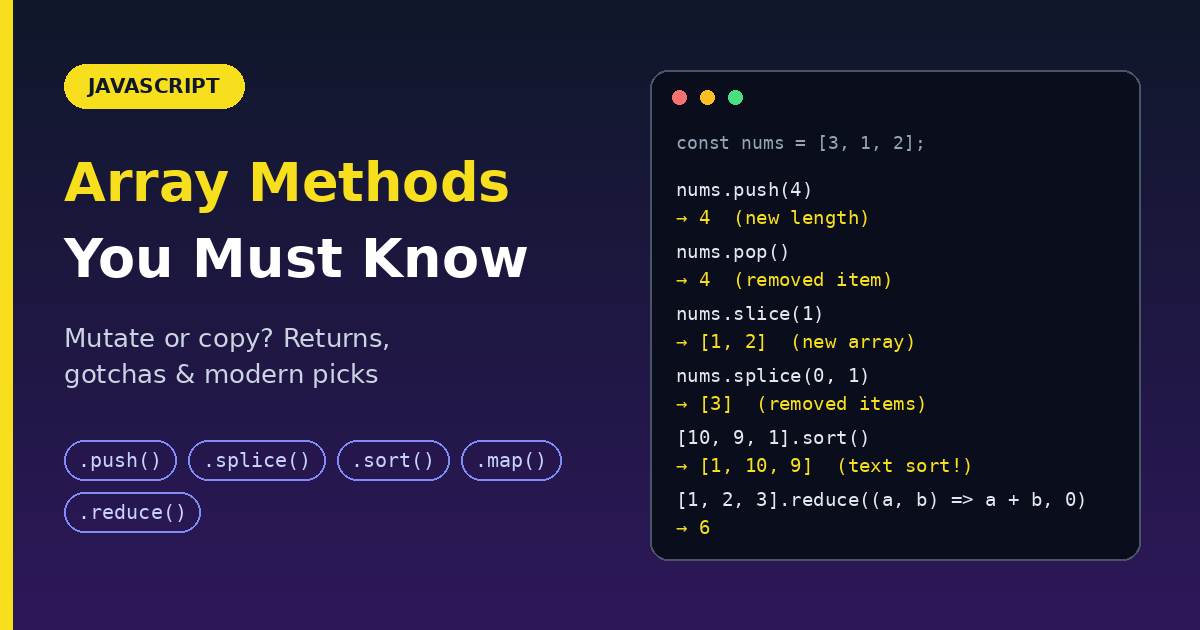
Arrays hold lists: products in a cart, messages in a chat, rows from an API. JavaScript gives you many built-in methods to add, remove, search, sort, and transform them. This guide explains the important ones the same way each time: what it does, what it returns, a simple example, and the gotchas.
Two things to know first
1. Some methods change the original array (mutate). Some return a new one. This causes more bugs than anything else, so keep this table in mind.
| Changes the original array | Leaves the original alone |
|---|---|
push, pop, shift, unshift |
slice, concat, flat |
splice, reverse, sort, fill |
map, filter, reduce |
indexOf, includes, some, join |
2. Always check the return value. Many methods return something other than the array.
const nums = [1, 2, 3];
const result = nums.push(4);
console.log(result);   // 4          (the new length, not the array!)
console.log(nums);     // [1, 2, 3, 4]
Adding and removing items
push(): add to the end
- Returns: the new length
- Mutates: yes
const sports = ["soccer", "baseball"];
const total = sports.push("football", "swimming");

console.log(sports);   // ["soccer", "baseball", "football", "swimming"]
console.log(total);    // 4
Merge one array into another with spread:
const vegetables = ["parsnip", "potato"];
const moreVegs = ["celery", "beetroot"];

vegetables.push(...moreVegs);
console.log(vegetables);   // ["parsnip", "potato", "celery", "beetroot"]
Without the spread, push(moreVegs) would add the whole array as a single nested item.
pop(): remove from the end
- Returns: the removed element (or
undefinedif the array is empty) - Mutates: yes
const myFish = ["angel", "clown", "mandarin", "sturgeon"];
const popped = myFish.pop();

console.log(myFish);    // ["angel", "clown", "mandarin"]
console.log(popped);    // "sturgeon"
shift(): remove from the start
- Returns: the removed element (or
undefinedif empty) - Mutates: yes
const fish = ["angel", "clown", "mandarin", "sturgeon"];
const shifted = fish.shift();

console.log(fish);      // ["clown", "mandarin", "sturgeon"]
console.log(shifted);   // "angel"
unshift(): add to the start
- Returns: the new length
- Mutates: yes
const arr = [1, 2];
arr.unshift(0);          // returns 3, arr is [0, 1, 2]
arr.unshift(-2, -1);     // returns 5, arr is [-2, -1, 0, 1, 2]
arr.unshift([-4, -3]);   // returns 6, arr is [[-4, -3], -2, -1, 0, 1, 2]
Gotcha: order differs between one call and many.
let a = [4, 5, 6];
a.unshift(1, 2, 3);
console.log(a);   // [1, 2, 3, 4, 5, 6]   (inserted together, order kept)

a = [4, 5, 6];
a.unshift(1);
a.unshift(2);
a.unshift(3);
console.log(a);   // [3, 2, 1, 4, 5, 6]   (each goes to the front, so order flips)
Quick memory trick
| End | Start | |
|---|---|---|
| Add | push |
unshift |
| Remove | pop |
shift |
Performance note: shift and unshift have to move every other item, so on very large arrays they are slower than push and pop.
Searching
indexOf(): find the position
- Returns: the first index where the item is found, or
-1if not found - Syntax:
indexOf(searchElement, fromIndex?) - Uses strict equality (
===)
const array = [2, 9, 9];
array.indexOf(2);       // 0
array.indexOf(7);       // -1
array.indexOf(9, 2);    // 2   (start searching at index 2)
array.indexOf(2, -1);   // -1  (negative start counts from the end: index 2)
array.indexOf(2, -3);   // 0
Gotcha 1: it cannot find NaN.
[NaN].indexOf(NaN); // -1
Gotcha 2: if (arr.indexOf(x)) is a bug, because index 0 is falsy. Always compare: arr.indexOf(x) !== -1.
includes(): is it in there?
- Returns:
trueorfalse - Syntax:
includes(searchElement, fromIndex?)
[1, 2, 3].includes(2);       // true
[1, 2, 3].includes(4);       // false
[1, 2, 3].includes(3, 3);    // false (starts looking after the last item)
[1, 2, 3].includes(3, -1);   // true  (starts from the last item)
["1", "2", "3"].includes(3); // false (string "3" is not number 3)
Better than indexOf for yes/no questions, and it handles NaN:
[1, 2, NaN].includes(NaN); // true
Use indexOf when you need the position, includes when you only need yes or no.
some(): does at least one item pass a test?
- Returns:
trueas soon as one item passes; otherwisefalse - Mutates: no
[2, 5, 8, 1, 4].some((x) => x > 10);    // false
[12, 5, 8, 1, 4].some((x) => x > 10);   // true
[].some((x) => x > 10);                 // false (empty array)
Real use: check whether a value exists.
const fruits = ["apple", "banana", "mango", "guava"];

function checkAvailability(arr, val) {
  return arr.some((arrVal) => val === arrVal);
}

checkAvailability(fruits, "grapefruit");   // false
checkAvailability(fruits, "banana");       // true
(For plain values, fruits.includes("banana") is simpler. some() shines when you test a condition, such as users.some((u) => u.age > 18)).
Copying and combining
slice(): copy a portion
- Returns: a new array with the selected items
- Syntax:
slice(start?, end?). Theendis not included. - Mutates: no
const fruits = ["Banana", "Orange", "Lemon", "Apple", "Mango"];

fruits.slice(1, 3);    // ["Orange", "Lemon"]
fruits.slice(2);       // ["Lemon", "Apple", "Mango"]   (to the end)
fruits.slice(-2);      // ["Apple", "Mango"]            (last two)
fruits.slice(1, -1);   // ["Orange", "Lemon", "Apple"]  (drop first and last)
fruits.slice();        // a full shallow copy
Gotcha: it is a shallow copy. Objects inside are shared, not duplicated.
const myHonda = { color: "red" };
const myCar = [myHonda, 2, "cherry condition"];
const newCar = myCar.slice(0, 2);

myHonda.color = "purple";
console.log(newCar[0].color);   // "purple" (same object)
splice(): remove, replace, or insert in place
- Returns: an array of the removed items (empty if none)
- Syntax:
splice(start, deleteCount?, item1, item2, ...) - Mutates: yes
// 1. Remove everything from index 2
const a = ["angel", "clown", "mandarin", "sturgeon"];
const removed1 = a.splice(2);
// a is ["angel", "clown"], removed1 is ["mandarin", "sturgeon"]

// 2. Remove 2 items starting at index 2
const b = ["parrot", "anemone", "blue", "trumpet", "sturgeon"];
const removed2 = b.splice(2, 2);
// b is ["parrot", "anemone", "sturgeon"], removed2 is ["blue", "trumpet"]

// 3. Replace 2 items with 3 new ones
const c = ["angel", "clown", "trumpet", "sturgeon"];
const removed3 = c.splice(0, 2, "parrot", "anemone", "blue");
// c is ["parrot", "anemone", "blue", "trumpet", "sturgeon"]

// 4. Insert without deleting (deleteCount = 0)
const d = ["a", "d"];
d.splice(1, 0, "b", "c");   // d is ["a", "b", "c", "d"]
slice vs splice: they look alike but are opposites in behavior. slice Copies and never changes the original. splice Changes the original.
Non-mutating version: toSpliced() returns a new array and leaves the original alone.
concat(): merge arrays
- Returns: a new array
- Mutates: no
const num1 = [1, 2, 3];
const num2 = [4, 5, 6];
const num3 = [7, 8, 9];

num1.concat(num2, num3);   // [1, 2, 3, 4, 5, 6, 7, 8, 9]
Gotcha: nested arrays are shared (shallow).
const n1 = [[1]];
const n2 = [2, [3]];
const merged = n1.concat(n2);   // [[1], 2, [3]]

n1[0].push(4);
console.log(merged);            // [[1, 4], 2, [3]]
Modern alternative: the spread operator does the same and reads well.
const merged2 = [...num1, ...num2, ...num3];
Changing order
reverse(): flip the order
- Returns: the same array (now reversed)
- Mutates: yes
const items = [1, 2, 3];
items.reverse();
console.log(items);   // [3, 2, 1]
Gotcha: the returned value is not a copy.
const numbers = [3, 2, 4, 1, 5];
const reversed = numbers.reverse();

reversed[0] = 99;
console.log(numbers[0]);   // 99 (they are the same array)
Non-mutating version: toReversed() Returns a new reversed array.
sort(): sort the items
- Returns: the same array (now sorted)
- Syntax:
sort(compareFn?) - Mutates: yes
Gotcha: the default sort compares items as strings. That breaks numbers:
[10, 9, 1, 100].sort(); // [1, 10, 100, 9] (wrong for numbers!)
Always pass a compare function for numbers:
const numbers = [3, 1, 4, 1, 5];
numbers.sort((a, b) => a - b);   // [1, 1, 3, 4, 5]  ascending
numbers.sort((a, b) => b - a);   // [5, 4, 3, 1, 1]  descending
How the compare function works: it gets two items, a and b, and returns a number.
| Return value | Meaning |
|---|---|
| Negative | a goes before b |
| Positive | a goes after b |
0 |
Keep their order |
Sort objects by a number property:
const items = [
  { name: "Edward", value: 21 },
  { name: "Sharpe", value: 37 },
  { name: "The", value: -12 },
];

items.sort((a, b) => a.value - b.value);
Sort objects by a text property:
items.sort((a, b) => a.name.localeCompare(b.name));
(localeCompare is shorter than writing the if (nameA < nameB) return -1 logic by hand, and it handles accents correctly. Add { sensitivity: "base" } to ignore case.)
Non-mutating version: toSorted() returns a new sorted array.
Reshaping
flat(): flatten nested arrays
- Returns: a new array
- Syntax:
flat(depth = 1) - Mutates: no
[1, 2, [3, 4]].flat();                      // [1, 2, 3, 4]
[1, 2, [3, 4, [5, 6]]].flat();              // [1, 2, 3, 4, [5, 6]]   (one level)
[1, 2, [3, 4, [5, 6]]].flat(2);             // [1, 2, 3, 4, 5, 6]
[1, [2, [3, [4, [5]]]]].flat(Infinity);     // [1, 2, 3, 4, 5]        (all levels)
It also removes empty slots: [1, , 3].flat() gives [1, 3].
Related: flatMap(fn) is map followed by a one-level flat.
join(): array to string
- Returns: a string
- Syntax:
join(separator = ",") - Mutates: no
const a = ["Wind", "Water", "Fire"];

a.join();         // "Wind,Water,Fire"
a.join(", ");     // "Wind, Water, Fire"
a.join(" + ");    // "Wind + Water + Fire"
a.join("");       // "WindWaterFire"
["only"].join("-");   // "only" (one item, no separator)
Nested arrays get flattened into text:
const matrix = [[1, 2, 3], [4, 5, 6], [7, 8, 9]];
matrix.join();      // "1,2,3,4,5,6,7,8,9"
matrix.join(";");   // "1,2,3;4,5,6;7,8,9"
Gotcha: null and undefined become empty text: [1, null, 3].join("-") is "1--3".
fill(): set values in a range
- Returns: the same array (modified)
- Syntax:
fill(value, start?, end?). Theendis not included. - Mutates: yes
[1, 2, 3].fill(4);          // [4, 4, 4]
[1, 2, 3].fill(4, 1);       // [1, 4, 4]
[1, 2, 3].fill(4, 1, 2);    // [1, 4, 3]
[1, 2, 3].fill(4, -3, -2);  // [4, 2, 3]   (negatives count from the end)

Array(3).fill(0);           // [0, 0, 0]   (handy for creating a filled array)
Gotcha: fill with an object, it puts the same object in every slot.
const arr = Array(3).fill({});
arr[0].hi = "hi";
console.log(arr);   // [{ hi: "hi" }, { hi: "hi" }, { hi: "hi" }]
Fix: create a new object for each slot.
const safe = Array.from({ length: 3 }, () => ({}));
safe[0].hi = "hi";
console.log(safe);  // [{ hi: "hi" }, {}, {}]
Looping and transforming (the big four)
These four use a callback function: a function you give to the method, which it calls for each item. The callback receives (item, index, array).
| Method | What it does | Returns |
|---|---|---|
forEach |
Runs code for each item | undefined |
map |
Transforms each item | New array (same length) |
filter |
Keeps items that pass a test | New array (same or shorter) |
reduce |
Combines all items into one value | A single value |
forEach(): do something for each item
- Returns:
undefined(always) - Use it for side effects such as logging or updating the page.
const items = ["item1", "item2", "item3"];
const copyItems = [];

// before: classic for loop
for (let i = 0; i < items.length; i++) {
  copyItems.push(items[i]);
}

// after: forEach
items.forEach((item) => {
  copyItems.push(item);
});
Gotchas:
- You cannot stop it early with
breakorreturn. Use afor...ofloop orsome()if you need to stop. - It does not wait for
asynccallbacks. For awaiting inside a loop, usefor...of. - It returns
undefined, soforEach(...).map(...)does not work.
Using the 3rd argument (array):
const numbers = [3, -1, 1, 4, 1, 5];

numbers
  .filter((num) => num > 0)
  .forEach((num, idx, arr) => {
    console.log(arr[idx - 1], num, arr[idx + 1]);
  });
// undefined 3 1
// 3 1 4
// 1 4 1
// 4 1 5
// 1 5 undefined
The arr argument is the filtered array, which you could not reach otherwise without saving it in a variable first.
map(): transform every item
- Returns: a new array of the same length
- Mutates: no
const numbers = [1, 4, 9];
const roots = numbers.map((num) => Math.sqrt(num));

console.log(roots);     // [1, 2, 3]
console.log(numbers);   // [1, 4, 9] (unchanged)
Convert strings to numbers:
["1", "2", "3"].map(Number); // [1, 2, 3]
Gotcha: do not pass parseInt directly. map also passes the index, and parseInt reads the second argument as a number base.
["1", "2", "3"].map(parseInt);                 // [1, NaN, NaN]  (surprise!)
["1", "2", "3"].map((s) => parseInt(s, 10));   // [1, 2, 3]      (safe)
Reformat objects:
const kvArray = [
  { key: 1, value: 10 },
  { key: 2, value: 20 },
  { key: 3, value: 30 },
];

const reformatted = kvArray.map(({ key, value }) => ({ [key]: value }));
console.log(reformatted);   // [{ 1: 10 }, { 2: 20 }, { 3: 30 }]
(The parentheses around ({ ... }) are needed so JavaScript reads the braces as an object, not a function body.)
Using the 3rd argument: average each number with its neighbors.
const numbers2 = [3, -1, 1, 4, 1, 5, 9, 2, 6];

const averaged = numbers2
  .filter((num) => num > 0)           // [3, 1, 4, 1, 5, 9, 2, 6]
  .map((num, idx, arr) => {
    const prev = arr[idx - 1];
    const next = arr[idx + 1];
    let count = 1;
    let total = num;
    if (prev !== undefined) { count++; total += prev; }
    if (next !== undefined) { count++; total += next; }
    return Math.round((total / count) * 100) / 100;   // 2 decimal places
  });

console.log(averaged);   // [2, 2.67, 2, 3.33, 5, 5.33, 5.67, 4]
Gotcha: do not use map just to loop. If you ignore the returned array, use forEach.
filter(): keep only items that pass a test
- Returns: a new array (shallow copy) with the items where the callback returned a truthy value. An empty array if none pass.
- Mutates: no
const words = ["spray", "elite", "exuberant", "destruction", "present"];
const result = words.filter((word) => word.length > 6);

console.log(result);   // ["exuberant", "destruction", "present"]
Pass a named function for complex tests: find prime numbers.
const array = [-3, -2, -1, 0, 1, 2, 3, 4, 5, 6, 7, 8, 9, 10, 11, 12, 13];

function isPrime(n) {
  if (n < 2) return false;
  if (n % 2 === 0) return n === 2;
  for (let factor = 3; factor * factor <= n; factor += 2) {
    if (n % factor === 0) return false;
  }
  return true;
}

console.log(array.filter(isPrime));   // [2, 3, 5, 7, 11, 13]
Clean up messy data: keep only objects with a non-zero, numeric id.
const arr = [
  { id: 15 }, { id: -1 }, { id: 0 }, { id: 3 }, { id: 12.2 },
  {}, { id: null }, { id: NaN }, { id: "undefined" },
];

const arrByID = arr.filter((item) => Number.isFinite(item.id) && item.id !== 0);

console.log(arrByID);   // [{ id: 15 }, { id: -1 }, { id: 3 }, { id: 12.2 }]
Remove empty or falsy values:
["a", "", "b", null, "c"].filter(Boolean); // ["a", "b", "c"]
reduce(): combine everything into one value
- Returns: the final accumulated value (a number, string, object, array, anything)
- Syntax:
reduce(callbackFn, initialValue?) - The callback gets
(accumulator, currentValue, index, array). Whatever you return becomes the accumulator for the next item.
const array = [1, 2, 3, 4];

const sum = array.reduce((accumulator, currentValue) => accumulator + currentValue, 0);
console.log(sum);   // 10
Step by step:
| Step | accumulator | currentValue | returns |
|---|---|---|---|
| 1 | 0 (initial) | 1 | 1 |
| 2 | 1 | 2 | 3 |
| 3 | 3 | 3 | 6 |
| 4 | 6 | 4 | 10 |
Edge cases: why you should always pass an initial value.
const getMax = (a, b) => Math.max(a, b);

[1, 100].reduce(getMax, 50);   // 100
[50].reduce(getMax, 10);       // 50
[1, 100].reduce(getMax);       // 100 (no initial value: starts with the first item)
[50].reduce(getMax);           // 50  (one item and no initial value: callback is never called)
[].reduce(getMax, 1);          // 1
[].reduce(getMax);             // TypeError (empty array with no initial value)
More uses:
// Count how many times each item appears
const votes = ["a", "b", "a", "c", "a"];
const count = votes.reduce((acc, v) => {
  acc[v] = (acc[v] ?? 0) + 1;
  return acc;
}, {});
// { a: 3, b: 1, c: 1 }

// Total price in a cart
const cart = [{ price: 10 }, { price: 25 }];
const total = cart.reduce((sum, item) => sum + item.price, 0);   // 35
Rule: if a plain loop or filter + map reads better, use that. reduce is powerful but easy to overuse.
Chain them together
Because map and filter return arrays, you can chain.
const cart = [
  { name: "Pen", price: 10, inStock: true },
  { name: "Book", price: 250, inStock: false },
  { name: "Bag", price: 900, inStock: true },
];

const total = cart
  .filter((item) => item.inStock)          // keep in-stock items
  .map((item) => item.price)               // [10, 900]
  .reduce((sum, price) => sum + price, 0); // 910
Find, test, and filter: five callback methods compared
These five methods all take a test function (a callback that returns true or false) and run it on your items. They differ in what they give back.
| Method | Question it answers | Returns | If nothing matches |
|---|---|---|---|
find |
"Give me the first match" | the item | undefined |
findIndex |
"Where is the first match?" | the index | -1 |
filter |
"Give me all matches" | a new array | [] |
some |
"Does at least one item match?" | true / false |
false |
every |
"Do all items match?" | true / false |
(see the empty-array note) |
Every callback receives (item, index, array). None of these methods change the original array.
We will use this data for all the examples:
const users = [
  { id: 1, name: "Sam", age: 20, active: true },
  { id: 2, name: "Ana", age: 17, active: false },
  { id: 3, name: "Raj", age: 25, active: true },
];
find(): the first matching item
- Returns: the first item that passes, or
undefinedif none do - Stops as soon as it finds a match
users.find((u) => u.id === 3);        // { id: 3, name: "Raj", age: 25, active: true }
users.find((u) => u.age < 18).name;   // "Ana"
users.find((u) => u.id === 99);       // undefined

[5, 12, 8, 130, 44].find((n) => n > 10);   // 12 (only the first match)
Safe access when nothing is found:
users.find((u) => u.id === 99)?.name;               // undefined (no crash)
users.find((u) => u.id === 99)?.name ?? "Unknown";  // "Unknown"
Gotcha 1: find returns a reference, not a copy. Changing the result changes the original.
const raj = users.find((u) => u.id === 3);
raj.age = 26;
console.log(users[2].age);   // 26 (the original changed)
Gotcha 2: it cannot tell "found a falsy value" from "found nothing".
[0, 1, 2].find((n) => n === 0);   // 0  (found!)
[1, 2].find((n) => n === 9);      // undefined (not found)

if ([0, 1, 2].find((n) => n === 0)) {
  // never runs: 0 is falsy, even though it was found
}
When the value itself can be 0, "", or false, use findIndex or some instead.
findIndex(): the position of the first match
- Returns: the index of the first match, or
-1if none - Stops as soon as it finds a match
users.findIndex((u) => u.name === "Raj");    // 2
users.findIndex((u) => u.name === "Zed");    // -1
[1, NaN].findIndex(Number.isNaN);            // 1 (unlike indexOf, it can find NaN)
Gotcha: index 0 is falsy. Always compare with -1.
const i = users.findIndex((u) => u.id === 1);   // 0

if (i) { /* BUG: 0 is falsy, so this is skipped */ }
if (i !== -1) { /* correct */ }
Real use: update or remove an item by condition.
const idx = users.findIndex((u) => u.id === 2);
if (idx !== -1) users.splice(idx, 1);   // remove Ana
findLast() and findLastIndex(): search from the end
Same as find and findIndex, but they start at the last item.
[1, 5, 8, 3, 9].find((n) => n > 4);            // 5
[1, 5, 8, 3, 9].findLast((n) => n > 4);        // 9
[1, 5, 8, 3, 9].findLastIndex((n) => n > 4);   // 4
filter(): all matching items
- Returns: a new array of every item that passes (an empty array if none)
- Always checks every item
users.filter((u) => u.active);            // Sam and Raj
users.filter((u) => u.age > 100);         // []
users.filter((u) => u.active).map((u) => u.name);   // ["Sam", "Raj"]
The items are the same objects, not copies:
users.filter((u) => u.active)[0] === users[0]; // true
Remove empty values:
[0, 1, "", 2, null].filter(Boolean); // [1, 2]
Gotcha: do not pass an async callback. An async function always returns a Promise, and a Promise is truthy, so every item passes.
[1, 2, 3].filter(async (n) => false).length; // 3 (nothing was filtered out!)
Resolve the results first (for example with Promise.all), then filter.
some(): does at least one item match?
- Returns:
trueas soon as one item passes, otherwisefalse - Stops at the first
true
users.some((u) => u.age >= 18);   // true
users.some((u) => u.age > 100);   // false
every(): do all items match?
- Returns:
falseas soon as one item fails, otherwisetrue - Stops at the first
false
users.every((u) => u.active);      // false (Ana is inactive)
users.every((u) => u.age >= 17);   // true
every and some mirror each other:
users.every((u) => u.age >= 17);
// is the same as
!users.some((u) => !(u.age >= 17));
The empty-array rule
An empty array has no items to fail a test, so:
[].every((x) => x > 0);   // true  (nothing failed: "vacuously true")
[].some((x) => x > 0);    // false (nothing passed)
[].find((x) => x > 0);    // undefined
[].findIndex((x) => x > 0);   // -1
[].filter((x) => x > 0);  // []
Gotcha: every on an empty array is true, which can surprise you. If an empty list should not count as success, check the length too:
const allPositive = nums.length > 0 && nums.every((n) => n > 0);
Short-circuiting: they stop early
find, findIndex, some, and every stop as soon as the answer is known. filter always visits every item.
let calls = 0;
[1, 2, 3, 4].some((n) => { calls++; return n === 2; });
console.log(calls);   // 2 (stopped at the second item)
On big arrays, use some or find instead of filter(...).length > 0 or filter(...)[0].
Gotcha: empty slots (sparse arrays)
find and findIndex visit empty slots (as undefined). some, every, and filter skip them.
[1, , 3].find(() => false);    // callback runs 3 times
[1, , 3].some(() => false);    // callback runs 2 times (the hole is skipped)
Which one should I use?
| I want to... | Use |
|---|---|
| Get one object by ID or name | find |
| Get its position (to update or remove it) | findIndex |
| Get every item that matches | filter |
| Check if any item matches (yes/no) | some |
| Check if every item matches (yes/no) | every |
| Check for a plain value | includes |
| Get the position of a plain value | indexOf |
| Find from the end | findLast / findLastIndex |
Common mistakes with these five
| Mistake | Fix |
|---|---|
filter(...)[0] to get one item |
find(...) (stops early) |
filter(...).length > 0 for a yes/no |
some(...) |
if (arr.findIndex(...)) |
Compare with !== -1 |
Using find to test for a falsy value |
Use findIndex or some |
Trusting every on a possibly empty array |
Also check length > 0 |
Using forEach to search |
Use find or some (they can stop early) |
Passing an async callback to filter |
Resolve the Promises first |
Expecting find to return a copy |
Copy it: { ...found } |
A few more worth knowing
const nums = [5, 12, 8, 130, 44];

nums.at(-1);                     // 44   (last item)
Array.isArray(nums);             // true (typeof [] is "object", so use this)
Optimized and modern choices
| Instead of | Use | Why |
|---|---|---|
arr.indexOf(x) !== -1 |
arr.includes(x) |
Clearer, and handles NaN |
arr.sort() for numbers |
arr.sort((a, b) => a - b) |
Default sort compares text |
arr.sort() when you need the original |
arr.toSorted(...) |
Does not mutate |
arr.reverse() when you need the original |
arr.toReversed() |
Does not mutate |
arr.splice(...) when you need the original |
arr.toSpliced(...) |
Does not mutate |
a.concat(b) |
[...a, ...b] |
Readable |
arr[arr.length - 1] |
arr.at(-1) |
Short |
Array(3).fill({}) |
Array.from({ length: 3 }, () => ({})) |
Separate objects |
map just to loop |
forEach or for...of |
Intent is clear |
reduce for a simple filter or map |
filter / map |
Easier to read |
.filter(...)[0] |
.find(...) |
Stops at the first match |
.filter(...).length > 0 |
.some(...) |
Stops at the first match |
Quick reference: what each method returns
| Method | Returns | Mutates? |
|---|---|---|
push / unshift |
new length | Yes |
pop / shift |
removed element | Yes |
splice |
array of removed items | Yes |
reverse / sort / fill |
the same array | Yes |
indexOf / findIndex |
index, or -1 |
No |
includes / some / every |
boolean | No |
find |
item or undefined |
No |
slice / concat / flat |
new array | No |
join |
string | No |
forEach |
undefined |
No |
map / filter |
new array | No |
reduce |
single value | No |
Wrap up
- Know which methods mutate (
push,pop,shift,unshift,splice,reverse,sort,fill) and which return something new. - Always check the return value:
pushgives a length,splicegives the removed items,forEachgives nothing. sort()needs a compare function for numbers, andreduce()needs an initial value.slice,concat, andfillwith objects are shallow: nested objects are shared.- For looping and transforming, remember the big four:
forEach(do),map(transform),filter(keep),reduce(combine).
Try each example in your browser console. Seeing the return values yourself is the fastest way to remember them.
Comments
Join the discussionNo comments yet. Be the first to comment.